Resize connected rooms while keeping the opposite wall fixed
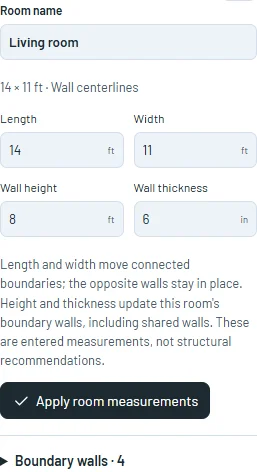
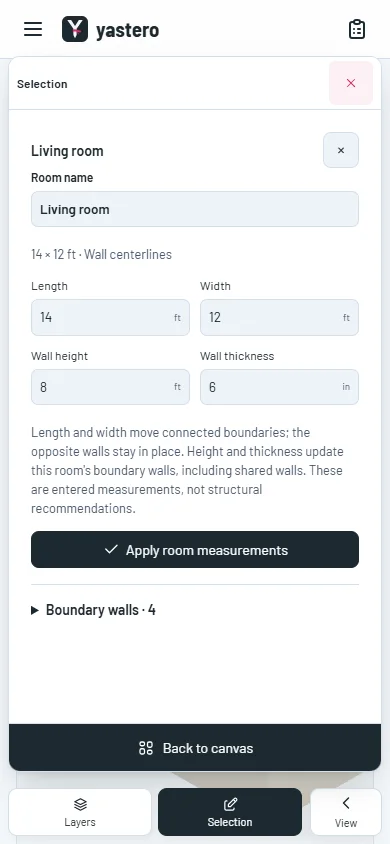
Apply a room’s length and width in the real-wall inspector, with shared boundaries, exact millimeter inputs and one-step Undo.
Resize a native room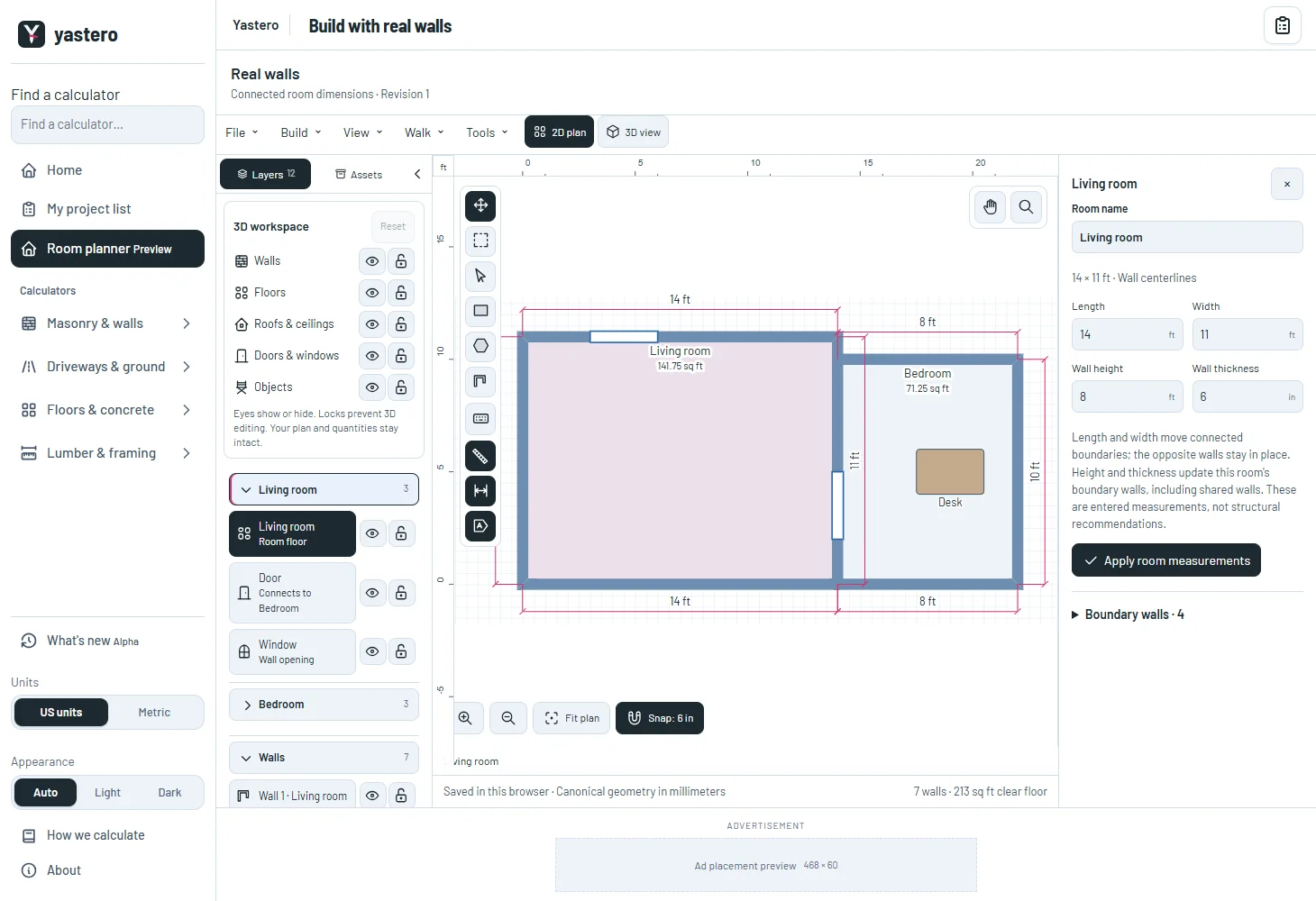
Connected dimensions, clear recovery
The connected boundary moves while the opposite boundary stays fixed, matching the classic room form. Concave rooms keep their intentional corners, and neighboring rooms can end at an interior point of one continuous shared wall.
Locked rooms, boundary walls, openings and objects remain protected. Rejected changes retain your input so you can correct or discard it.
Circular walls retain their analytic geometry under uniform scaling. Stretching a circle into an ellipse requires a different curve edit and is explained before saving.
Feet first, millimeters throughout
Feet and inches remain the default display. Metric room dimensions use millimeters directly; unchanged values and reloads preserve the saved document.
The global unit selector now coordinates with the editor. Pending measurements prevent a unit switch from reinterpreting or losing your text.
The real-wall editor remains opt-in. Room X/Y and movement are still being transferred.
A closer look
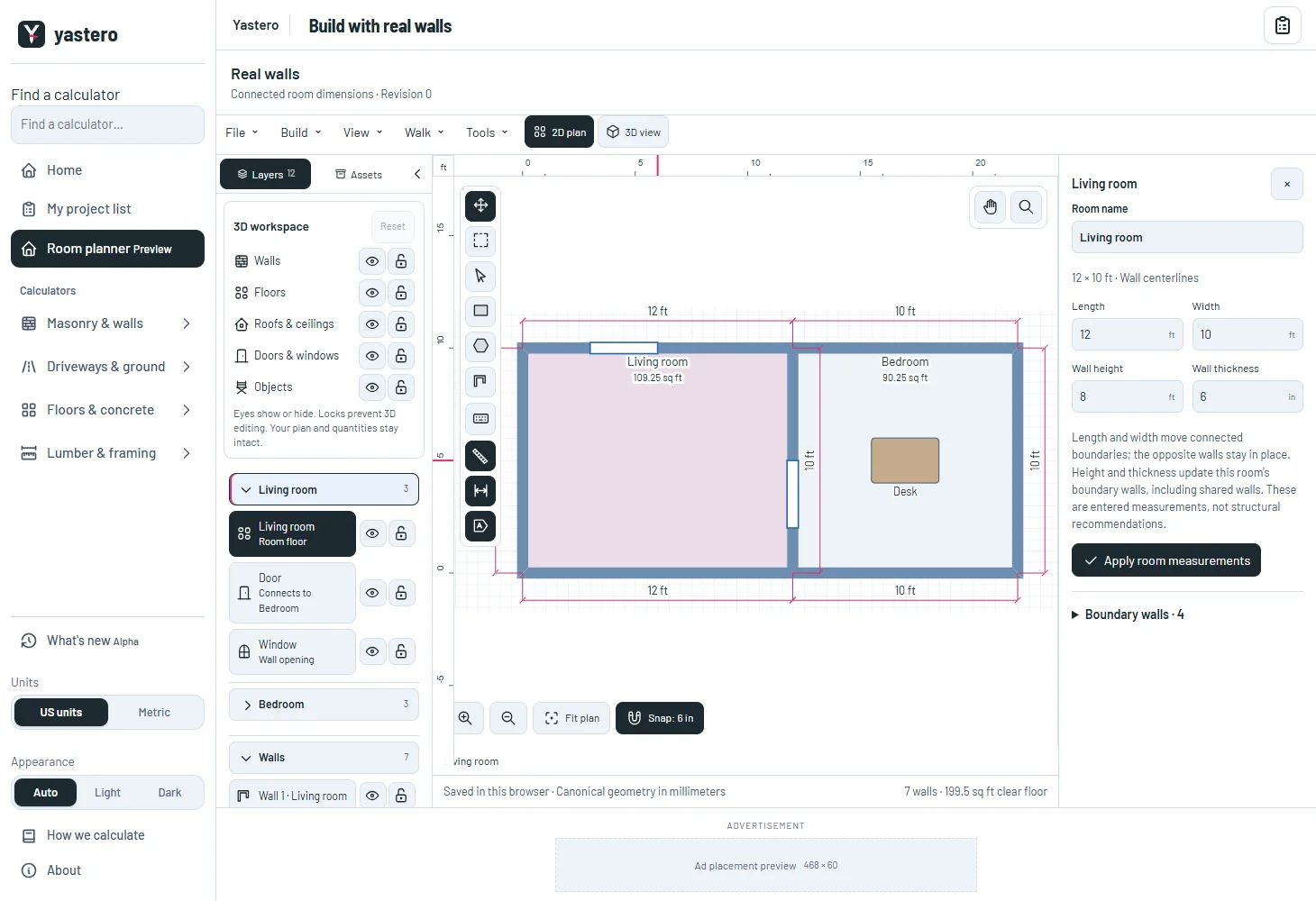
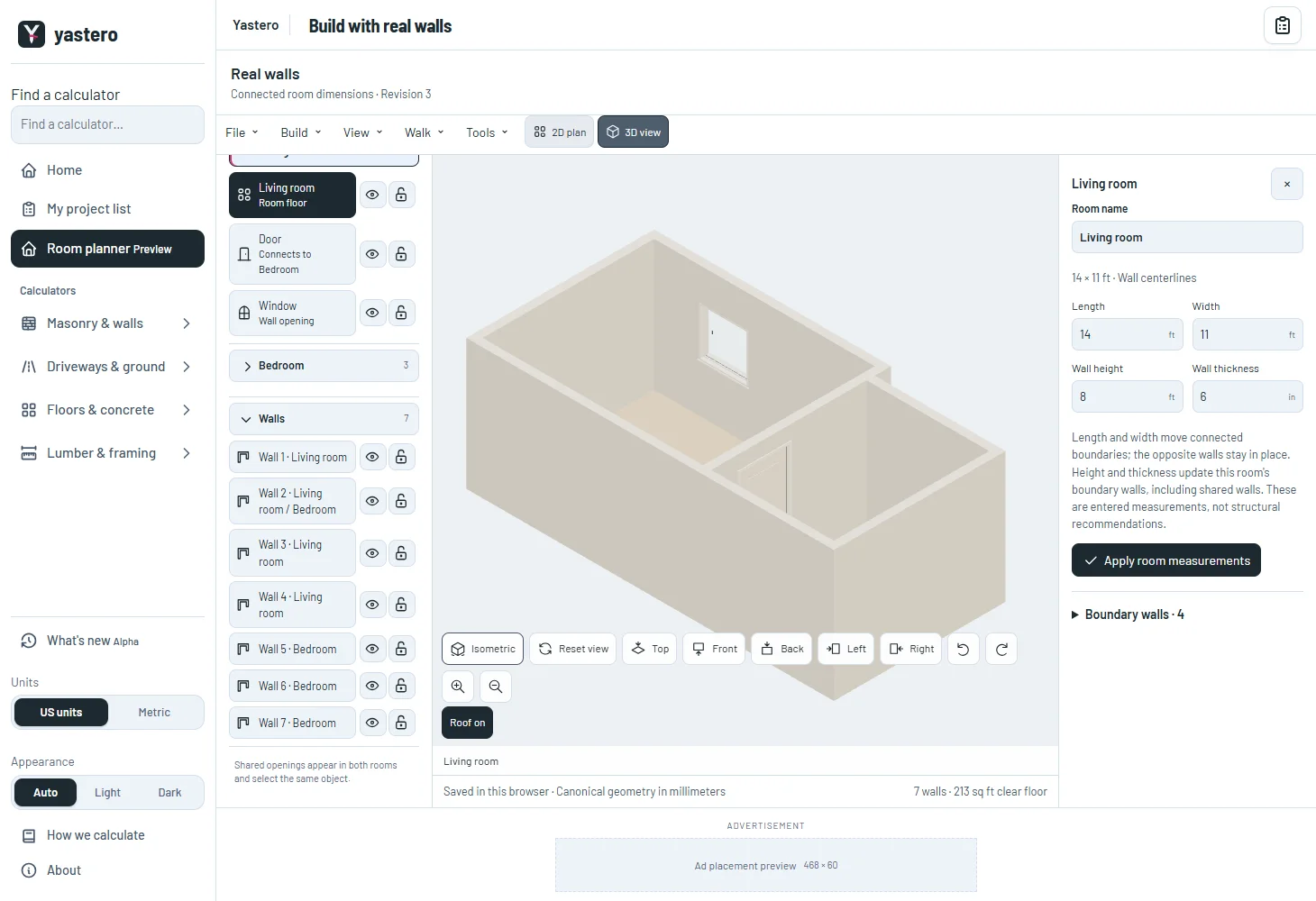
This milestone was documented on October 26, 2026 and added to the public history on October 26, 2026 at 2:32 AM GMT-3. Screenshots show the development state at the time. About this alpha history.