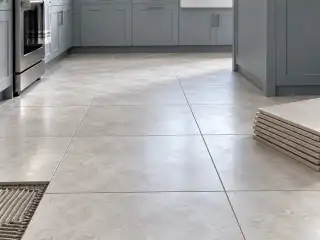
Tile calculator
Measure the tiled area, enter the tile’s actual face dimensions and grout joint, then choose a cut allowance. The calculator estimates whole tiles and rounds to boxes when you enter package information. Review the layout before ordering: area coverage alone cannot prove that every cut fits.
- Floor area
- Tiles without extra
- Estimated tile cost
- Grout
- Setting mortar
How do I measure a tile floor or backsplash?
- Measure only the surfaces receiving tile. Split an L-shaped floor or interrupted backsplash into nonoverlapping sections. Keep floor and wall work separate when their products, patterns or setting materials differ.
- Read the product’s actual dimensions and box contents. Nominal names such as 12 × 24 are useful labels but can differ from the measured face. Enter the joint required for the selected installation rather than using it to force a lower count.
- Choose an explicit cut and spare allowance for the layout. Straight fields, diagonal cuts, niches, borders and patterns can need different quantities. The percentage is your selection, not a universal manufacturer recommendation.
- Check the whole-tile result, whole-box result and physical layout. Confirm batch, shade, caliber, available trim and returns with the supplier before finalizing the order and setting-material quantities.
How is the quantity calculated?
Estimated tiles = area (sq ft) ÷ [(tile length + joint) × (tile width + joint) ÷ 144] × (1 + waste % ÷ 100)
- Tile length, width and joint use inches; dividing their cell area by 144 converts square inches to square feet.
- The area method treats each tile with one joint in each direction. It approximates a field layout and does not optimize perimeter cuts or reuse offcuts.
- Whole tiles round up before whole boxes. Use the exact product’s pieces per box or labeled box coverage; do not assume nominal dimensions equal the actual face.
Example: a 10 × 12 ft room with entered 12 × 24 in tiles
Illustrative actual face dimensions, a selected 1/8 in joint, a chosen 10% allowance and an example package of eight tiles. These inputs are not a product specification.
- Area: 120 sq ft; entered face: 12 × 24 in; joint: 1/8 in.
- Selected allowance: 10%; example package: 8 pieces per box.
- Each entered tile face covers 2 sq ft before joints.
- The cell including one joint in each direction is 2.03 sq ft.
- Area divided by cell area, plus the allowance, gives 64.98 tile equivalents.
- Round to 65 whole tiles, then 9 whole example boxes.
65 calculated tiles; 9 boxes of eight contain 72 pieces. Review perimeter cuts before ordering.
How does a selected tile allowance change the box count?
| Selected allowance | Calculated tiles | Boxes of 8 | Packaged pieces |
|---|---|---|---|
| 0% | 60 | 8 | 64 |
| 5% | 63 | 8 | 64 |
| 10% | 65 | 9 | 72 |
| 15% | 68 | 9 | 72 |
| 20% | 71 | 9 | 72 |
| 25% | 74 | 10 | 80 |
How many tiles do I need for my room?
Enter the measured tiled area and the actual dimensions of the chosen product. The area method estimates how many tile-and-joint cells cover that surface, applies the selected allowance and rounds up. When package information is supplied, the result also rounds to whole boxes.
A count from total area is an estimate rather than a cutting plan. A narrow strip at one wall, a repeated pattern or a large off-center opening can consume whole pieces that an area ratio cannot place. Review the starting line and edge cuts in the drawing before treating the calculated count as a final purchase.
Does grout joint width affect the tile count?
Yes. This area method adds one joint to each face dimension to form a repeating cell. Wider joints increase that cell’s area and can reduce the calculated count. The simplified cell does not model every outer edge, movement joint or individual cut in a room.
Use the joint suitable for the actual tile and installation. Do not change it just to reach a preferred box count. Grout quantity needs additional information, including joint depth and the grout product’s yield; a tile count or a joint width alone is insufficient to buy the setting system.
How much extra tile should I buy?
Choose the allowance after reviewing cuts, pattern, breakage risk, future repairs and the product supplier’s guidance. Fireclay’s published advice concerns its own products and discusses different situations; it is not evidence that one percentage fits every ceramic or porcelain job.
The calculator applies the entered allowance once before rounding to whole tiles and boxes. If a detailed layout count is used, check whether it already includes spare pieces before adding another allowance. Whole-box rounding can create additional leftover pieces, so compare the package count with the tile count rather than automatically adding a second percentage.
Should I enter pieces per box or square feet per box?
Use the packaging information on the selected product. Pieces per box gives a direct relationship between whole tiles and packages. If only box coverage is available, the tool uses the entered face area and labeled coverage to estimate how many complete boxes cover the calculated tile requirement.
Do not mix a piece count from one product with coverage from another. For mosaics, patterned sets or modular products, a sheet or set may be the purchasing unit rather than one visible small tile. Confirm the unit represented by the dimensions and the package label before comparing counts or prices.
Are nominal tile dimensions accurate enough for ordering?
Nominal size names identify a product family, but the actual face can differ. Enter the manufacturer’s actual dimensions when available, particularly when checking a layout near a doorway, wall return or border. Keep dimensions and the specified joint on the same basis.
An area estimate can hide a small dimensional mismatch across several rows. Check a sample and the current product information before committing the layout. This calculator does not assign caliber, match shade batches or ensure a pattern aligns at transitions; those checks belong to the product selection and installation plan.
Are mortar, grout and floor preparation included?
The tile order is separate from the installation system. Mortar coverage depends on the product, trowel, substrate and installation conditions. The cited VersaBond technical sheet describes its own application and coverage basis; multiplying tile pieces by a guessed mortar rate would conceal those choices.
Grout, membrane, trim and substrate preparation likewise require their own measured scope and product yields. Keep them as separate purchase lines. In the planner’s materials workflow, select the intended assembly and review each component’s assumptions rather than assuming that a visible floor texture already identifies a complete tile installation.
How do I estimate the material cost?
Use a current price per box or square foot for the selected tile. Save its actual size, package and allowance with the quantity. Obtain separate prices for mortar, grout, trim, preparation and installation so a tile-only subtotal does not appear to cover the whole job.
Content updated . How we calculate. Source checks are listed below each reference.