Fullscreen properties and smoother gutter finishes
Keep the selection inspector available in fullscreen, and inspect roof drainage with smoother curves and a more coherent metal finish.
Inspect and edit a roof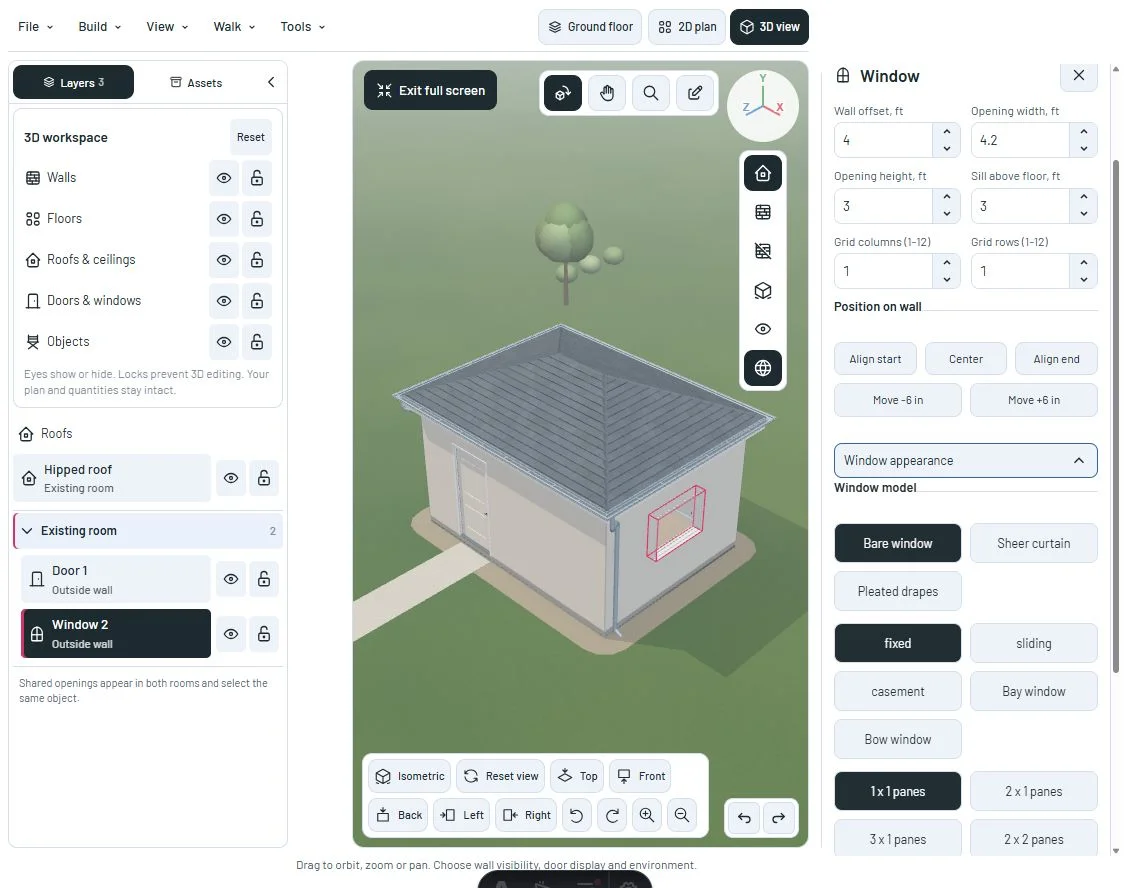
Keep editing in fullscreen
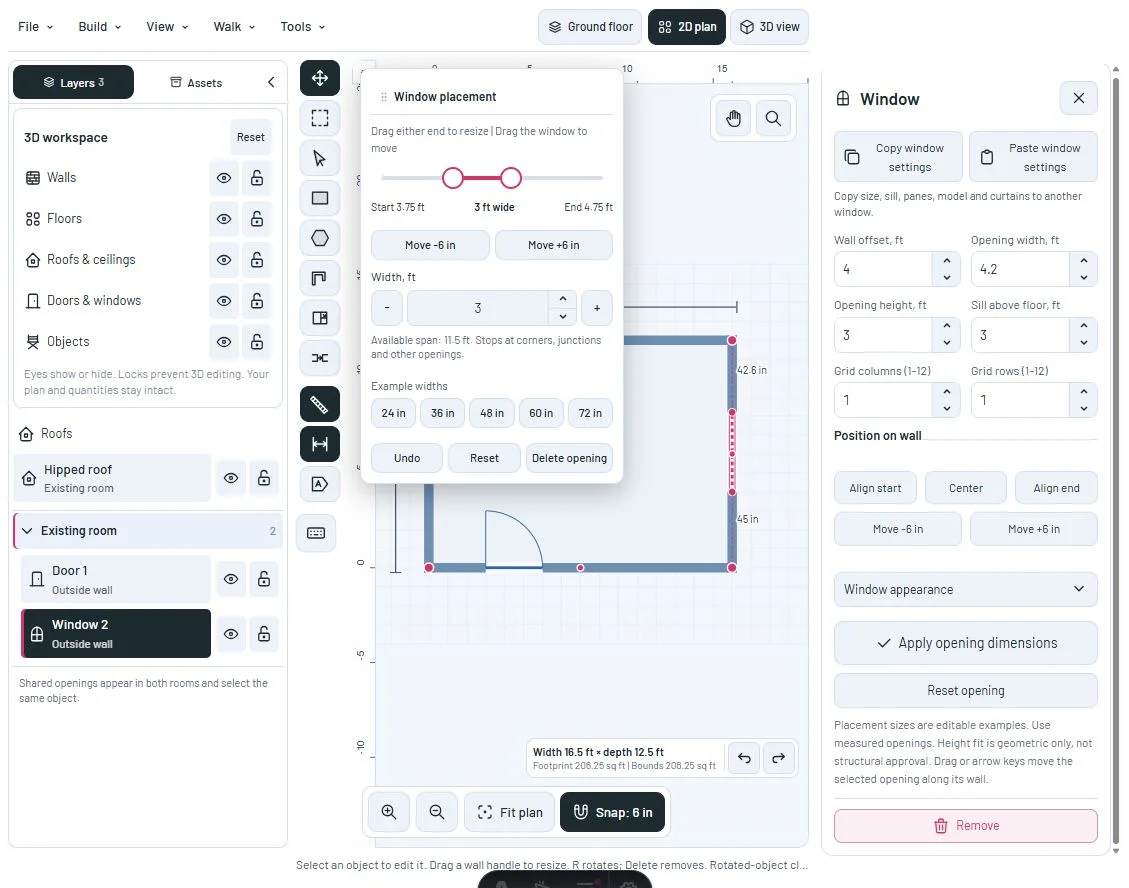
The selected object inspector remains available in 3D and in the plan. On desktop, fullscreen leaves room for it on the right, with an independent scroll area and reachable close action.
The desktop form stays mounted when fullscreen changes, preserving its measurements and expanded appearance options. Its layout styles also apply while docked outside the viewport.
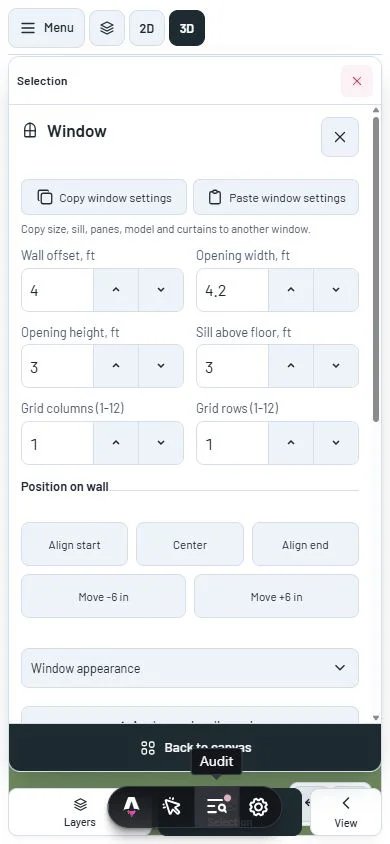
On phones, the same properties remain available in Selection. Back to canvas minimizes the sheet; Selection brings it back.
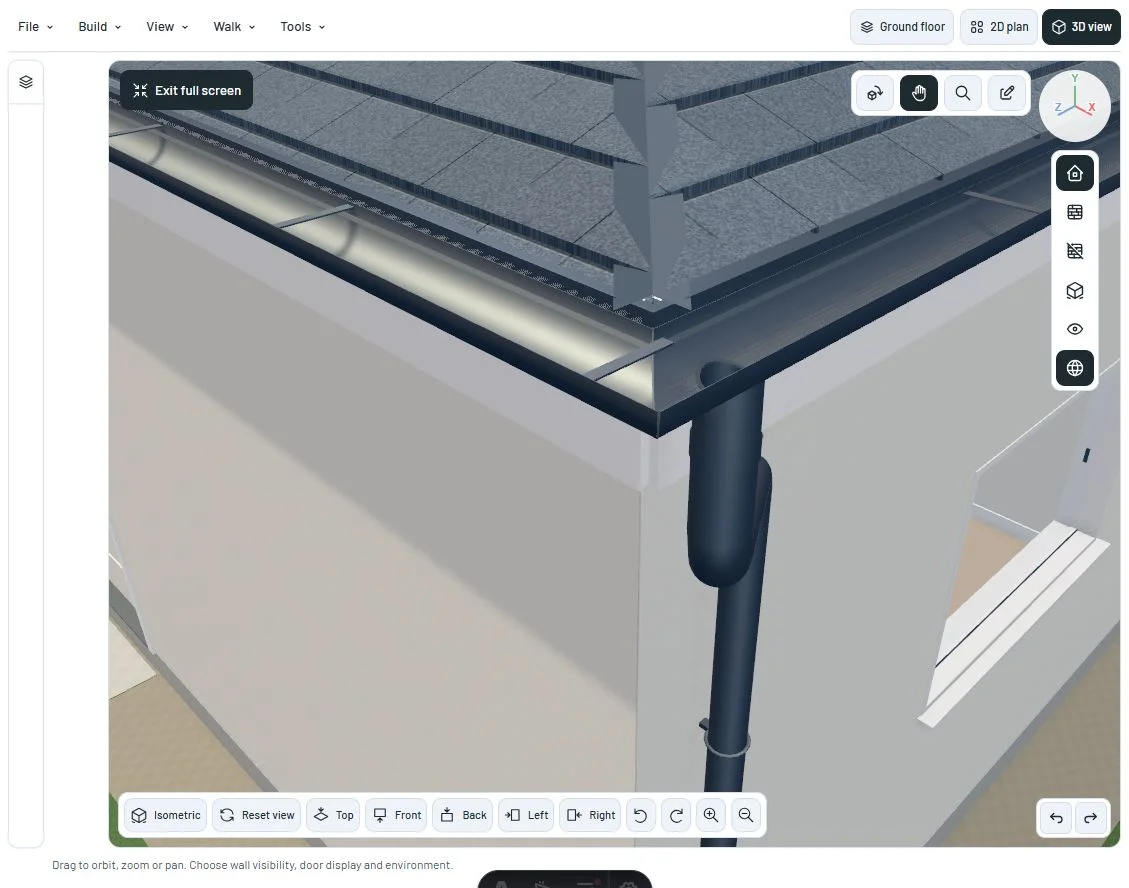
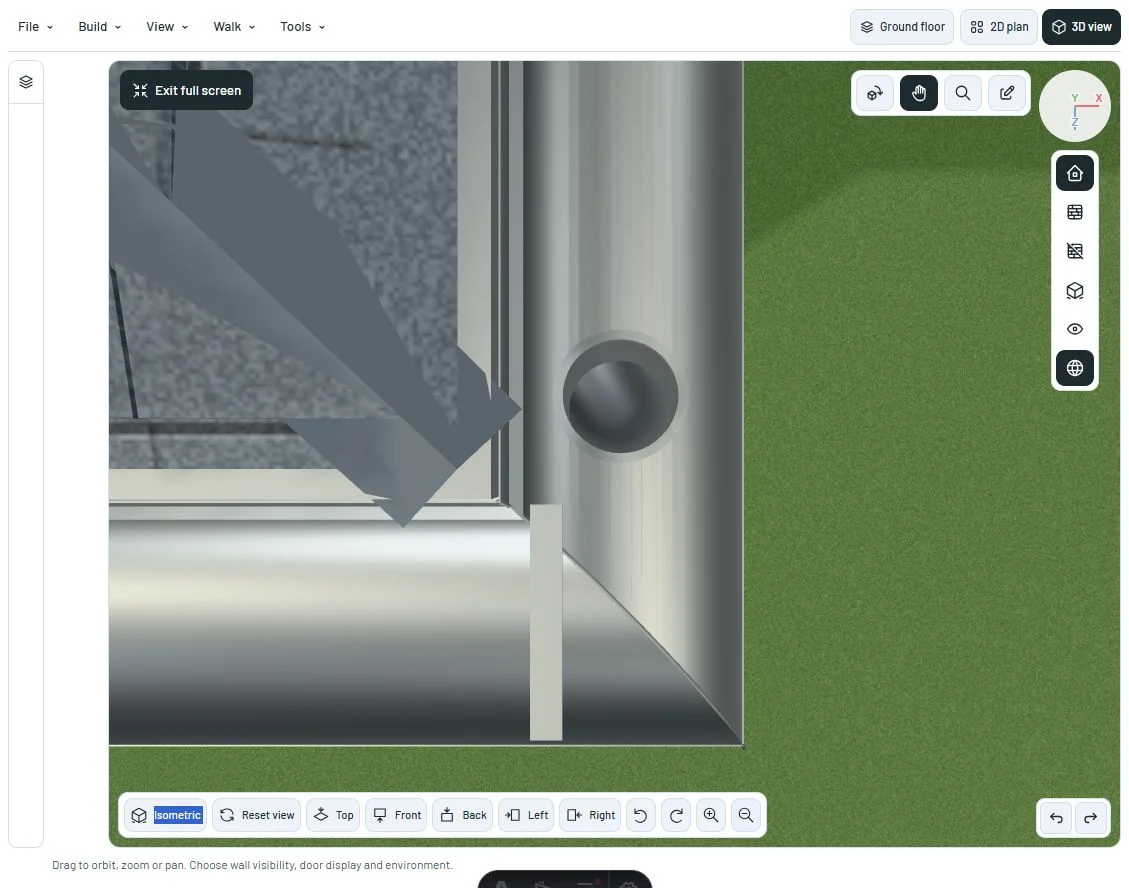
More coherent drainage surfaces
Curved sheet, outlets and pipes use finer outlines and smoother shading. Folds stay sharp, and the thin sheet keeps distinct inner and outer surfaces.
The sheet around an inlet now keeps the same face direction as its neighboring surface. The bottom opening and hollow pipe remain geometry.
Painted colors use a coated appearance; the zinc and copper swatches retain a metallic response. These are illustrative finishes, with no new hydraulic calculations or product specifications.
A closer look
References
This milestone was documented on October 24, 2026 and added to the public history on October 24, 2026 at 7:45 PM GMT-3. Screenshots show the development state at the time. About this alpha history.