A clearer workspace for real-wall projects
Find project actions in familiar menus, choose a home from visual previews, and keep active tools easy to close on desktop and phone.
Explore real-wall project menus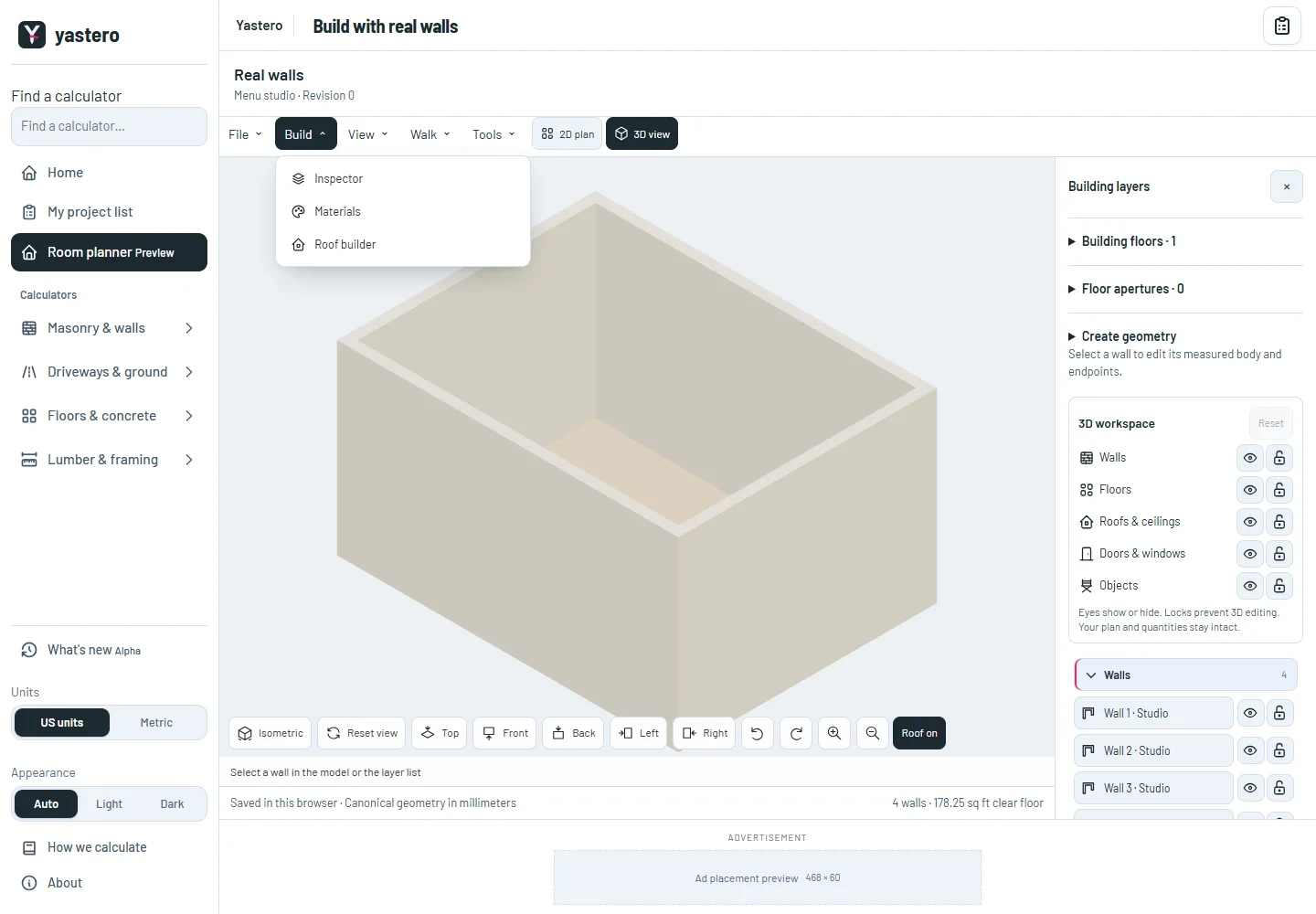
Project actions in one place
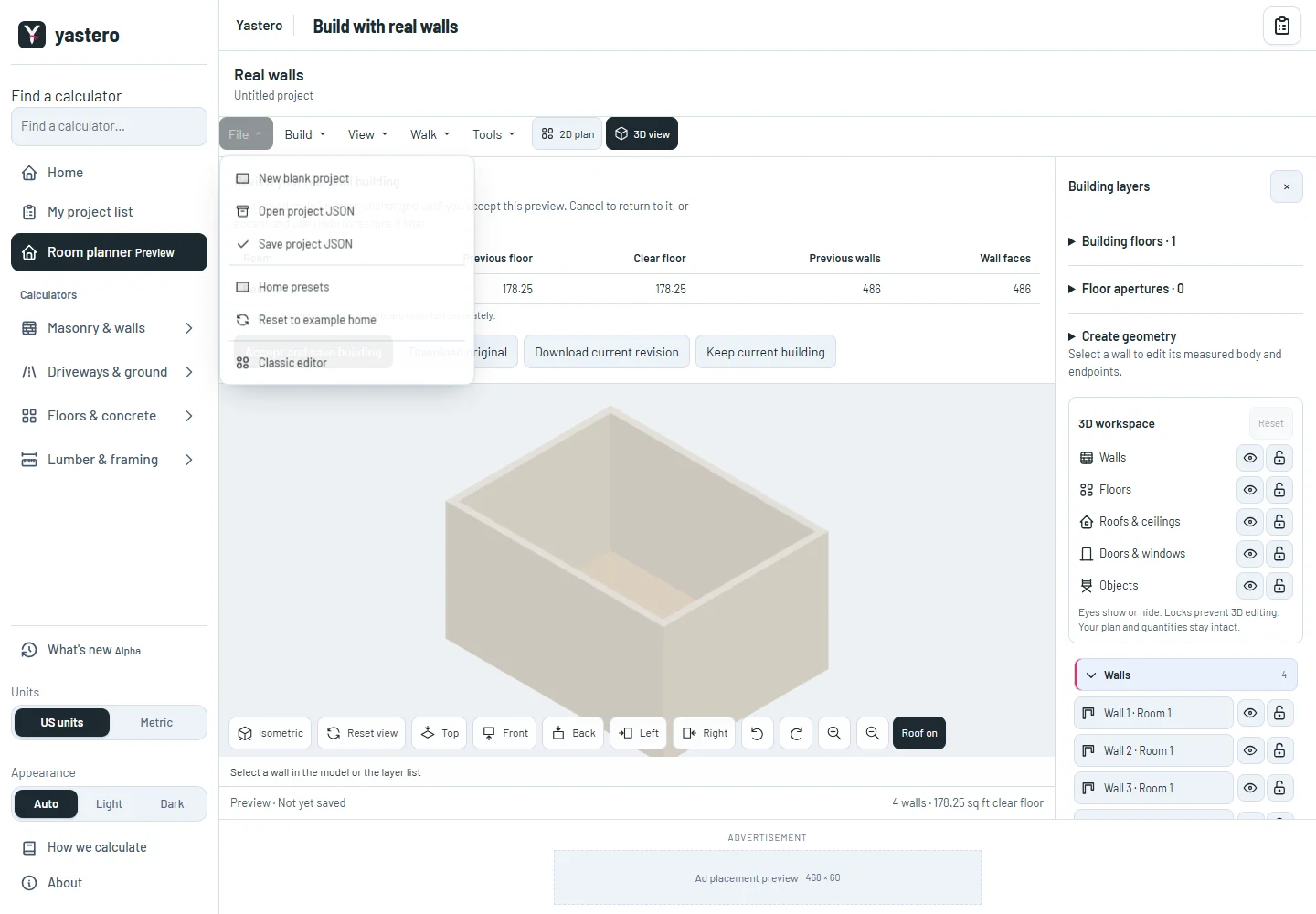
File opens and saves native JSON, starts a blank room, opens visual home presets and resets to the example home. New candidates use a review before replacing the current view; cancel keeps your saved building.
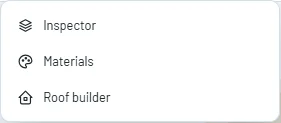
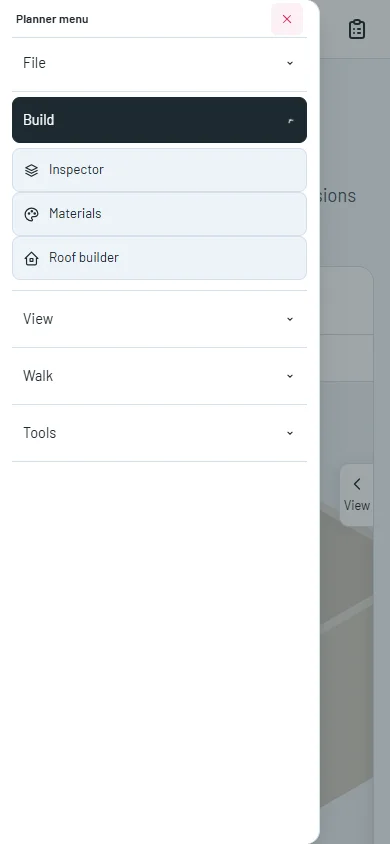
Build opens the inspector, materials and roof builder. View holds units, the contextual inspector and full screen. Walk holds indoor navigation and door display; Tools holds AI, radio, the resource monitor and Undo/Redo.
The remaining placement, drawing and render tools are still being transferred to the opt-in real-wall workspace. The classic editor remains the default.
Keep controls within reach
Phone menus use the same side dialog as the classic editor. Active roof, materials, AI and walking modes retain visible exit shortcuts.
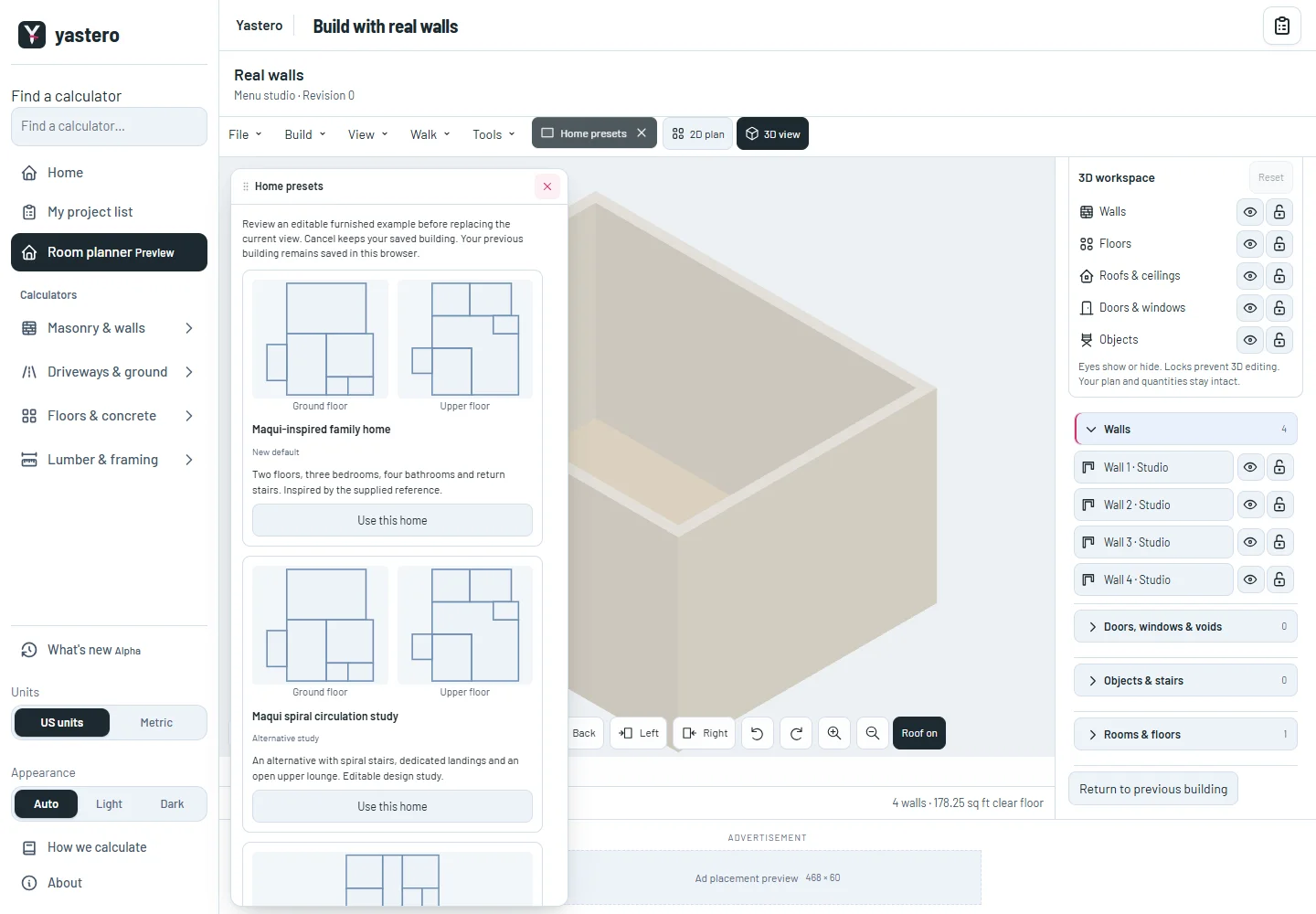
Home presets open beside the canvas with a fixed title and scrollable content. Their window can move across the screen. The mobile Tools tab stays reachable after scrolling.
The resource monitor reads render timings and scene counts from the native renderer without requesting extra frames. Unsupported measurements remain marked unavailable.
A closer look
This milestone was documented on October 25, 2026 and added to the public history on October 25, 2026 at 4:00 PM GMT-3. Screenshots show the development state at the time. About this alpha history.