A resource monitor that opens where you put it
The resource monitor keeps its anchor when switching between bar, bubble and expanded panel. Four metric cards make it easier to scan, with graphics actions always visible below.
Try the resource monitor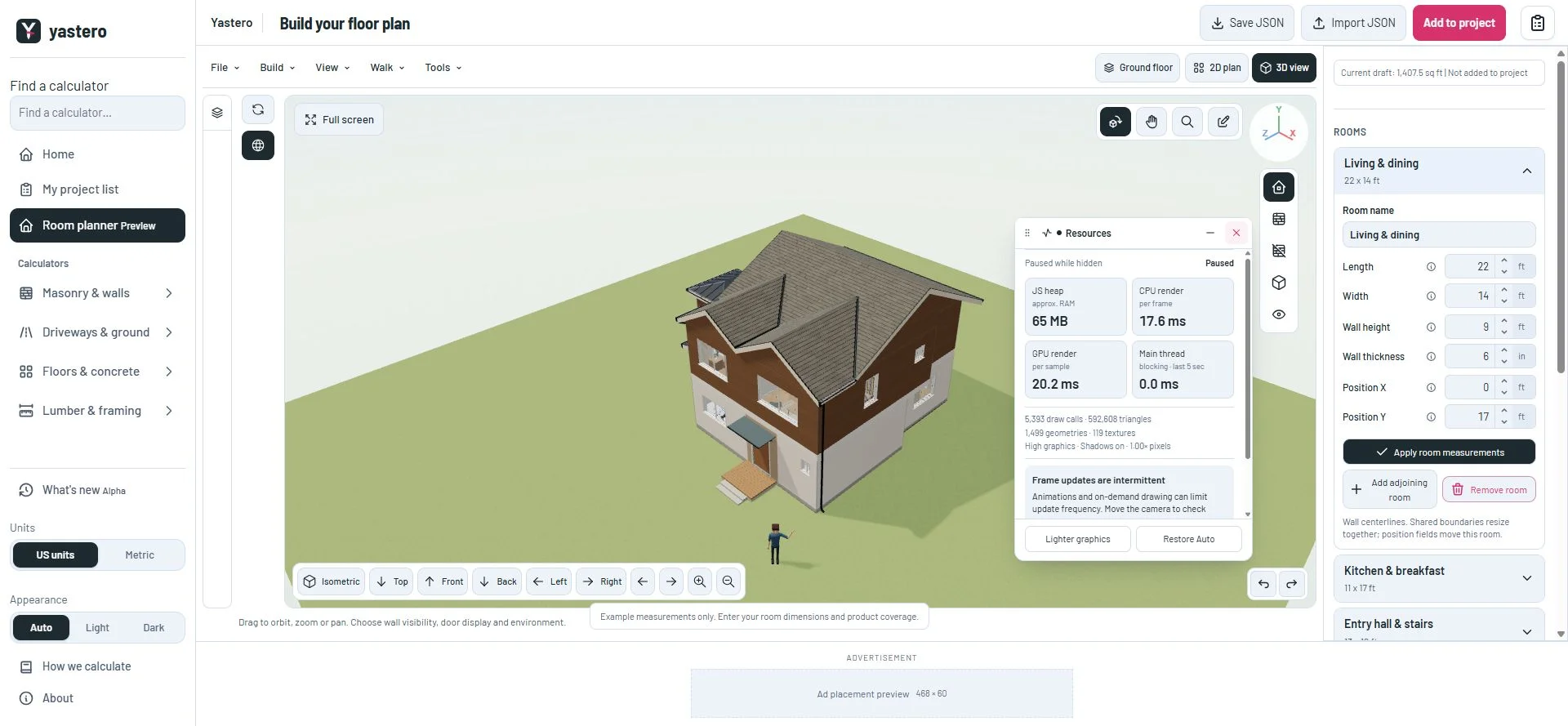
Keep your chosen location
Moving the bar or bubble sets an anchor inside the drawing viewport. The expanded panel grows from that edge; collapsing restores the compact placement. If the larger panel needs room to avoid the viewport edge or camera controls, it makes a nearby adjustment without replacing your anchor.
The same positioning works when changing viewport size or entering full screen. The grip and bubble still support dragging and arrow-key movement.
Read the metrics without losing the controls
JavaScript heap, CPU render time, GPU render time and main-thread blocking now use four compact cards. Scene counts and advice remain below them, with explanations available in the existing disclosure.
Lighter graphics and Restore Auto stay outside the scrolling details. Measurements retain their original meaning, including unavailable timing and paused sampling in hidden views.
This milestone was documented on October 23, 2026 and added to the public history on October 23, 2026 at 10:45 PM GMT-3. Screenshots show the development state at the time. About this alpha history.