Select a room and edit its boundary measurements
Click a floor in the real-wall plan or model to inspect its room, change its name and apply wall height or thickness in one undoable action.
Inspect a native room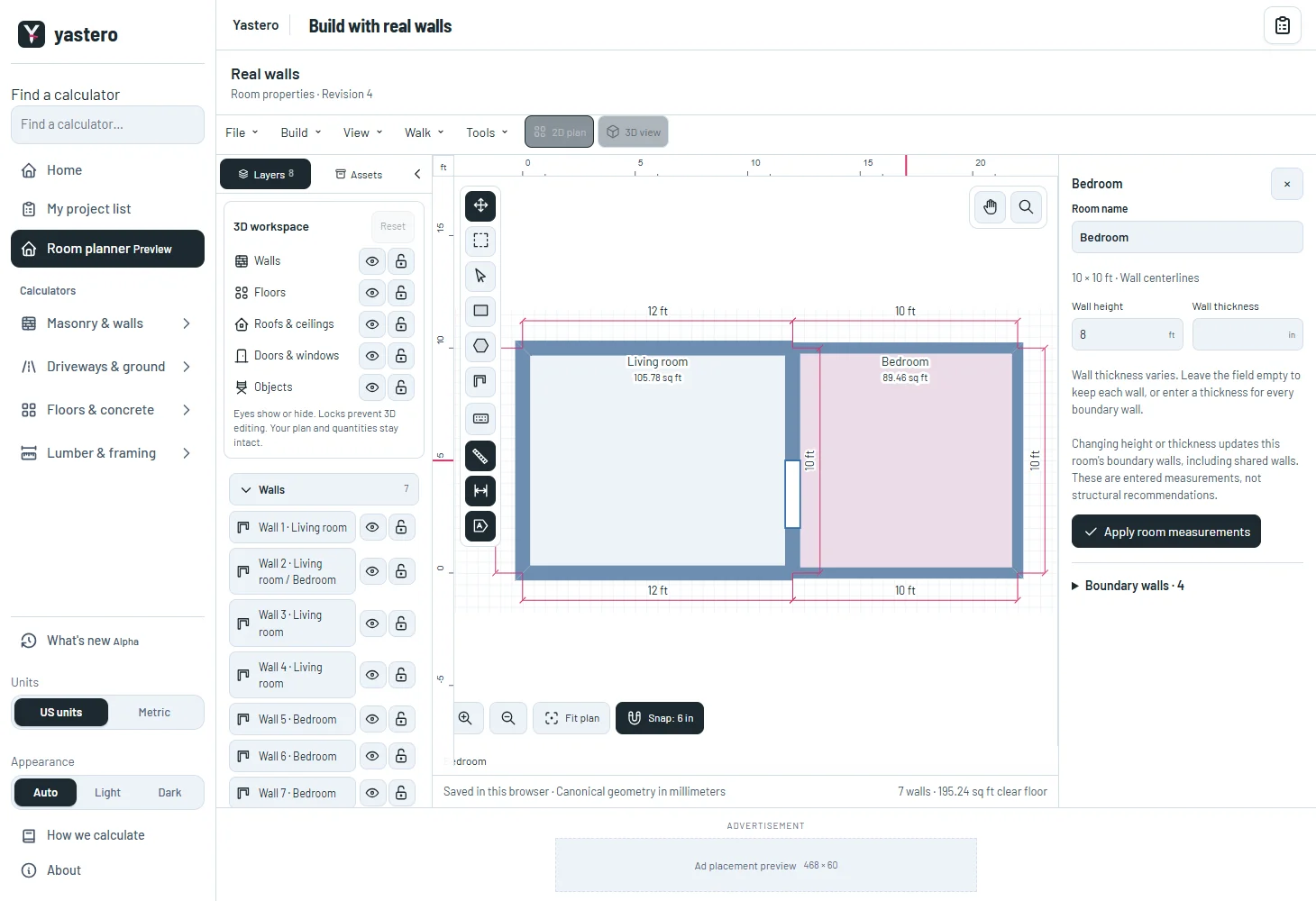
One room, persistent walls
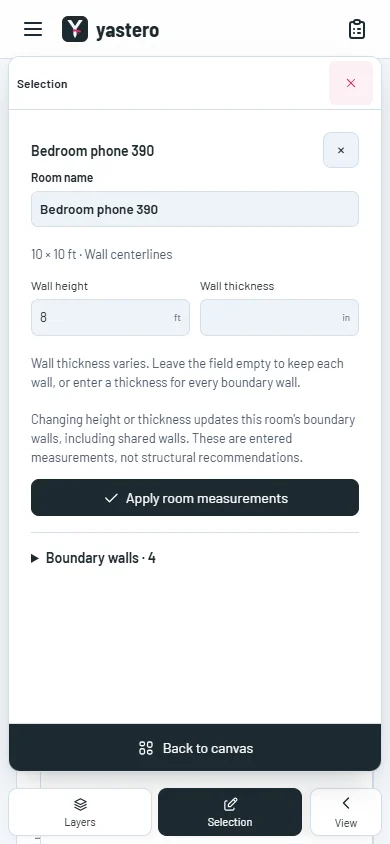
The inspector shows the current centerline dimensions and the room’s boundary walls. Changing height or thickness updates those physical boundary walls, including any wall shared with a neighboring room.
An empty thickness field means the existing walls have different thicknesses. Keep it empty to retain them, or enter one thickness for the boundary. Values are project measurements, not structural recommendations.
Renaming changes only the room record. Applying measurements preserves wall, opening and door or window identities. Undo restores the complete previous state.
Keep the current edit safe
A protected boundary wall prevents the entire measurement change. An invalid input leaves the saved model unchanged and keeps the form available for correction or explicit discard.
The phone inspector retains its fields and reachable Apply action at 320 and 390 pixels. Room selection uses the same inspector in the plan and 3D model.
The real-wall editor remains opt-in. Room movement, editable length and position, and the remaining classic controls are still being transferred.
A closer look
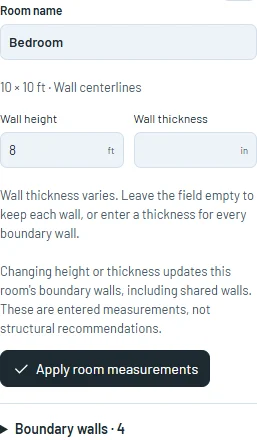
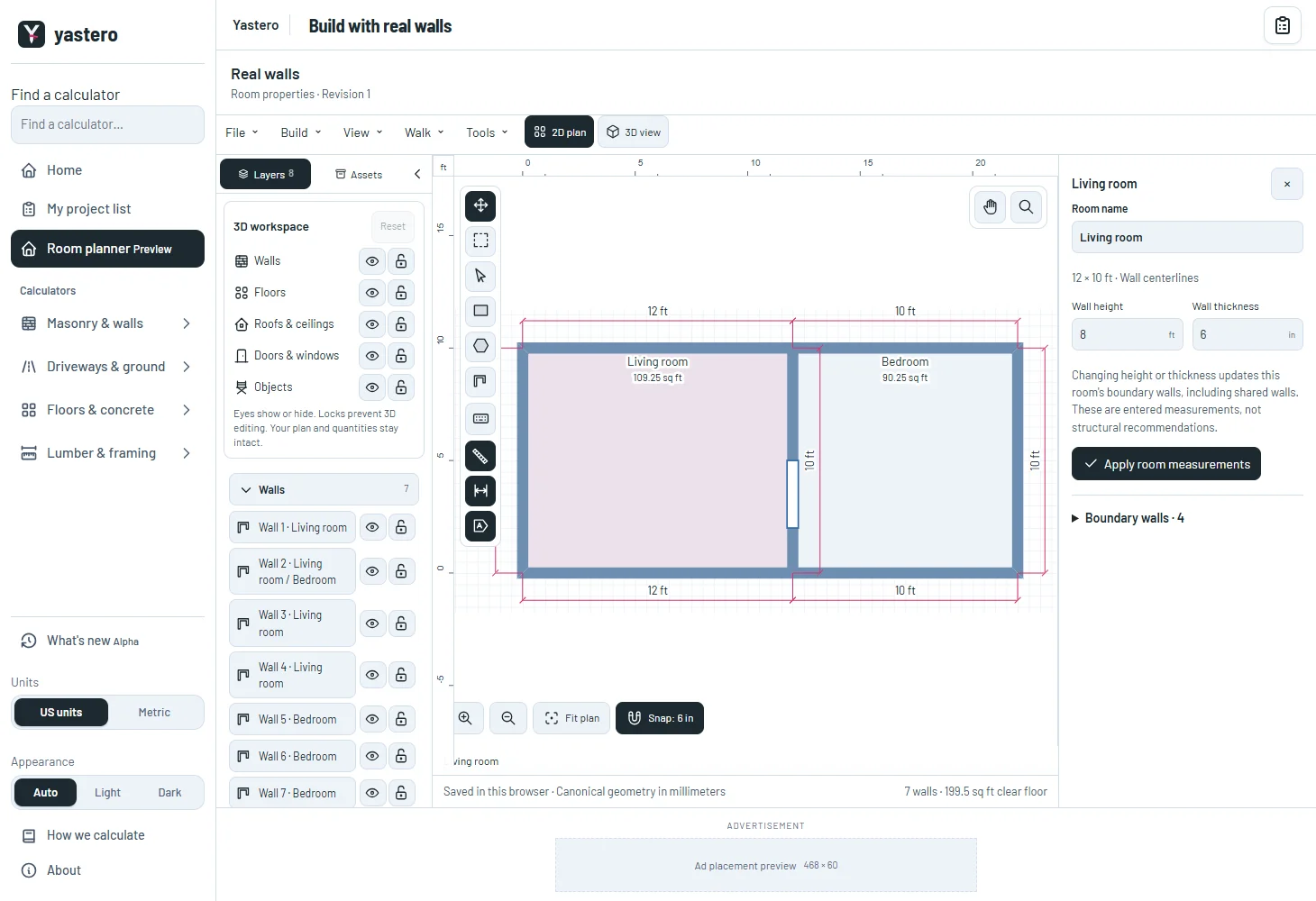
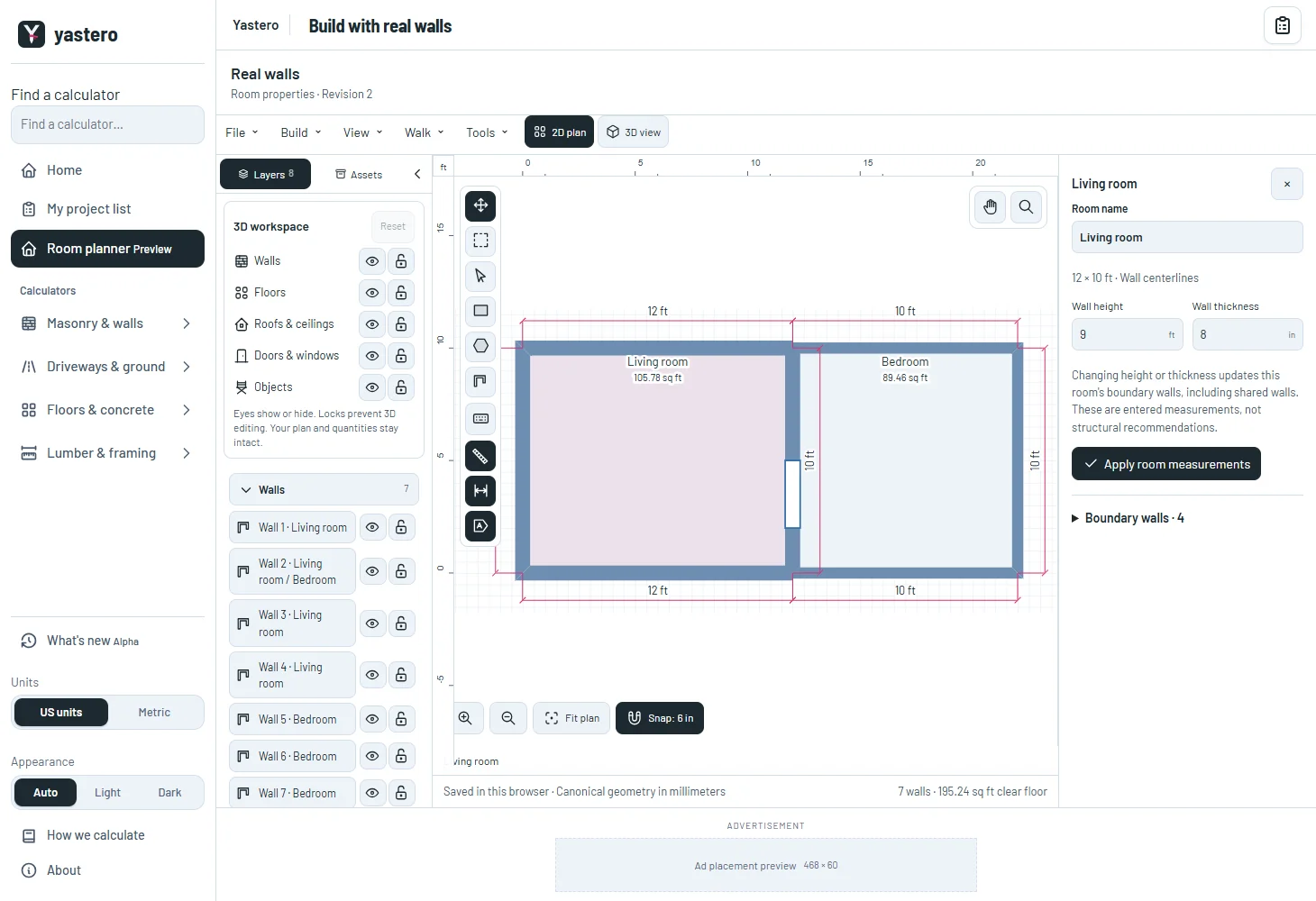
This milestone was documented on October 25, 2026 and added to the public history on October 25, 2026 at 11:58 PM GMT-3. Screenshots show the development state at the time. About this alpha history.