Explore homes and keep 3D tools within reach
Browse real home models with floor layouts, work from a direct 3D tool rail, and see when Isometric is active.
Explore the home library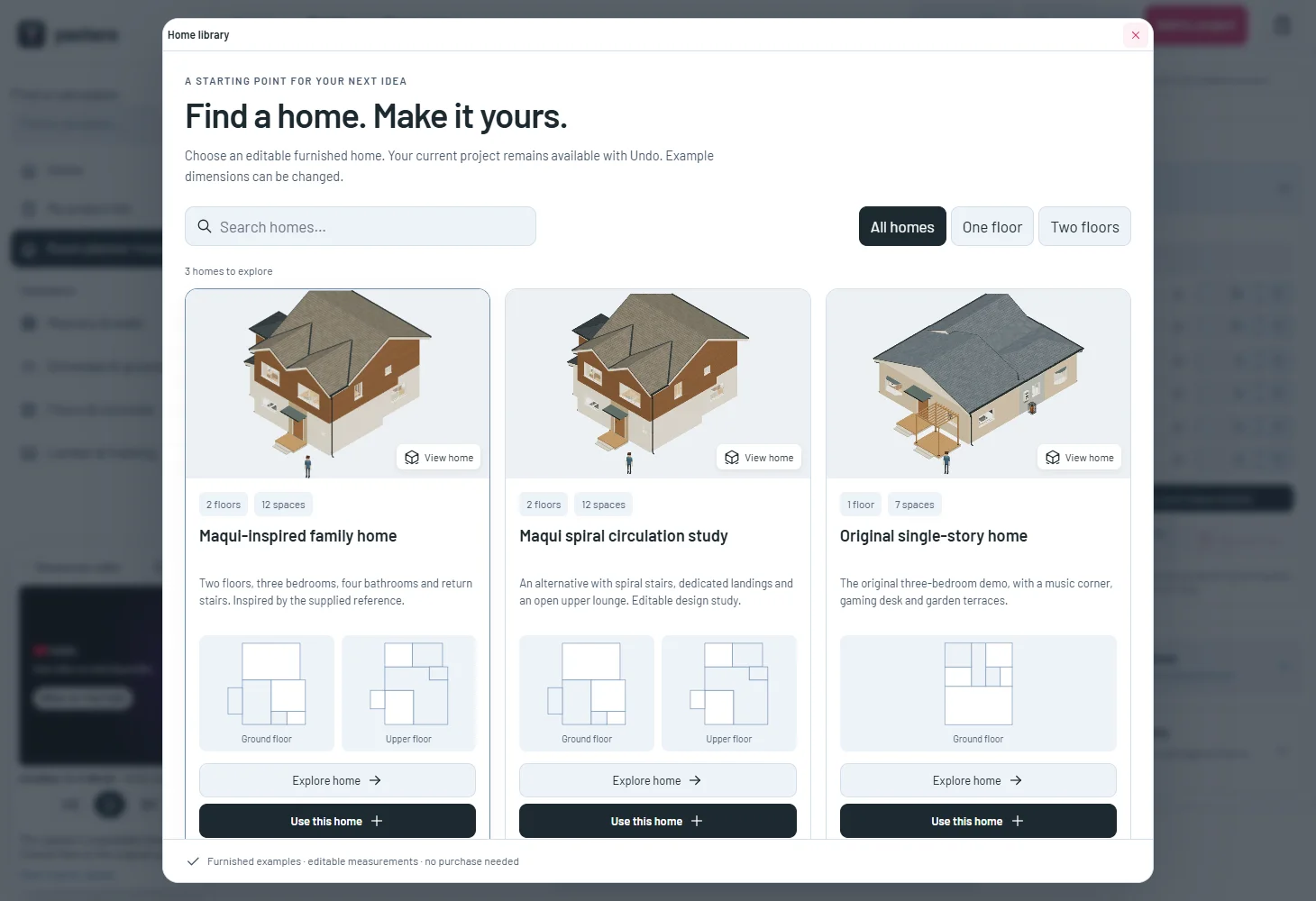
Find a home before changing your drawing
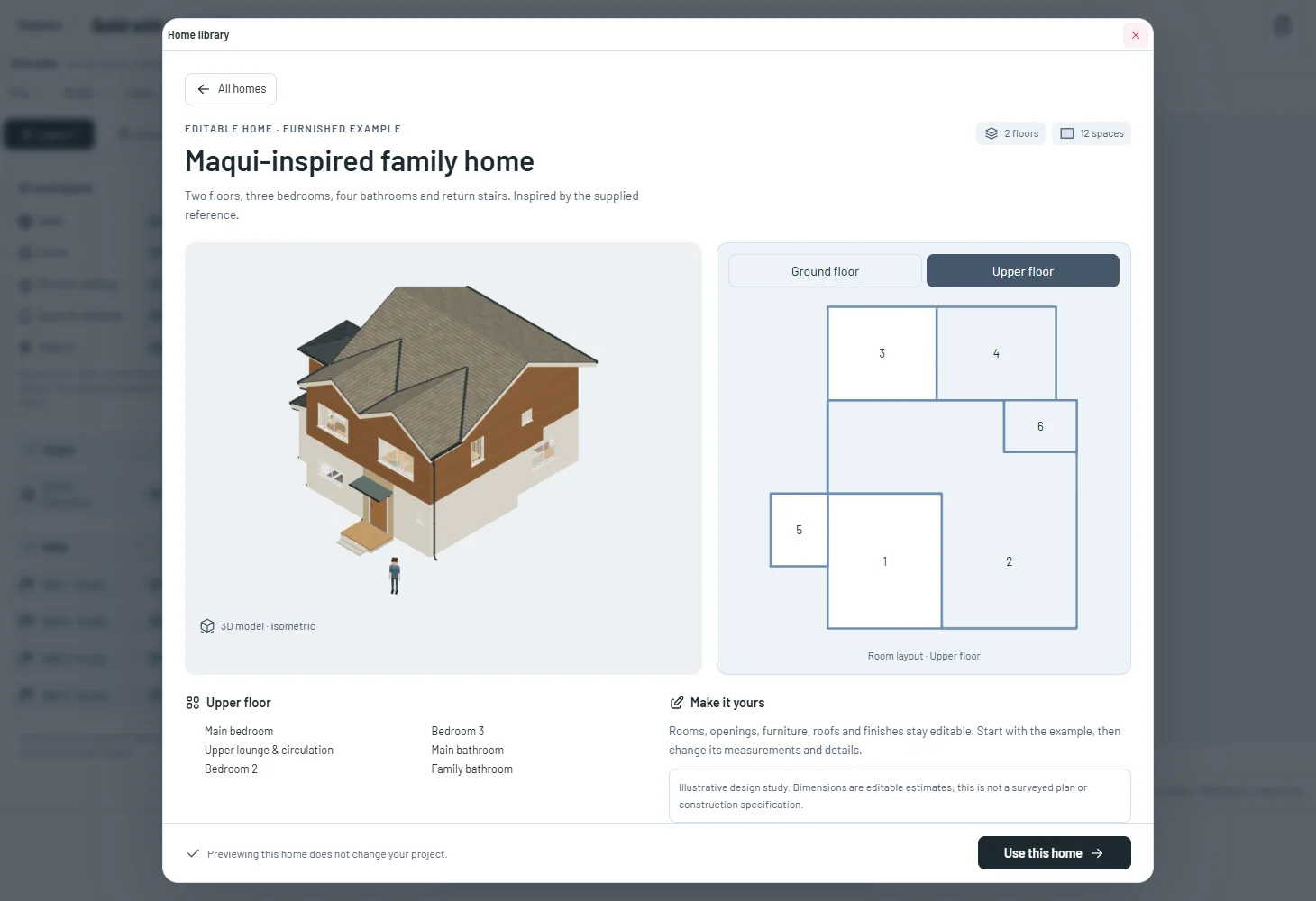
Search and filter the library by floor count, open a home’s details and switch between its floor layouts. These previews come from the same example models.
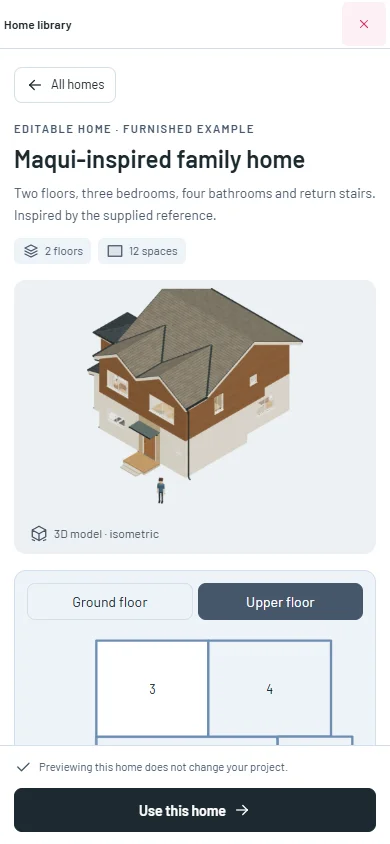
The phone library keeps its close and Use this home actions reachable while its contents scroll. Browsing leaves your project unchanged.
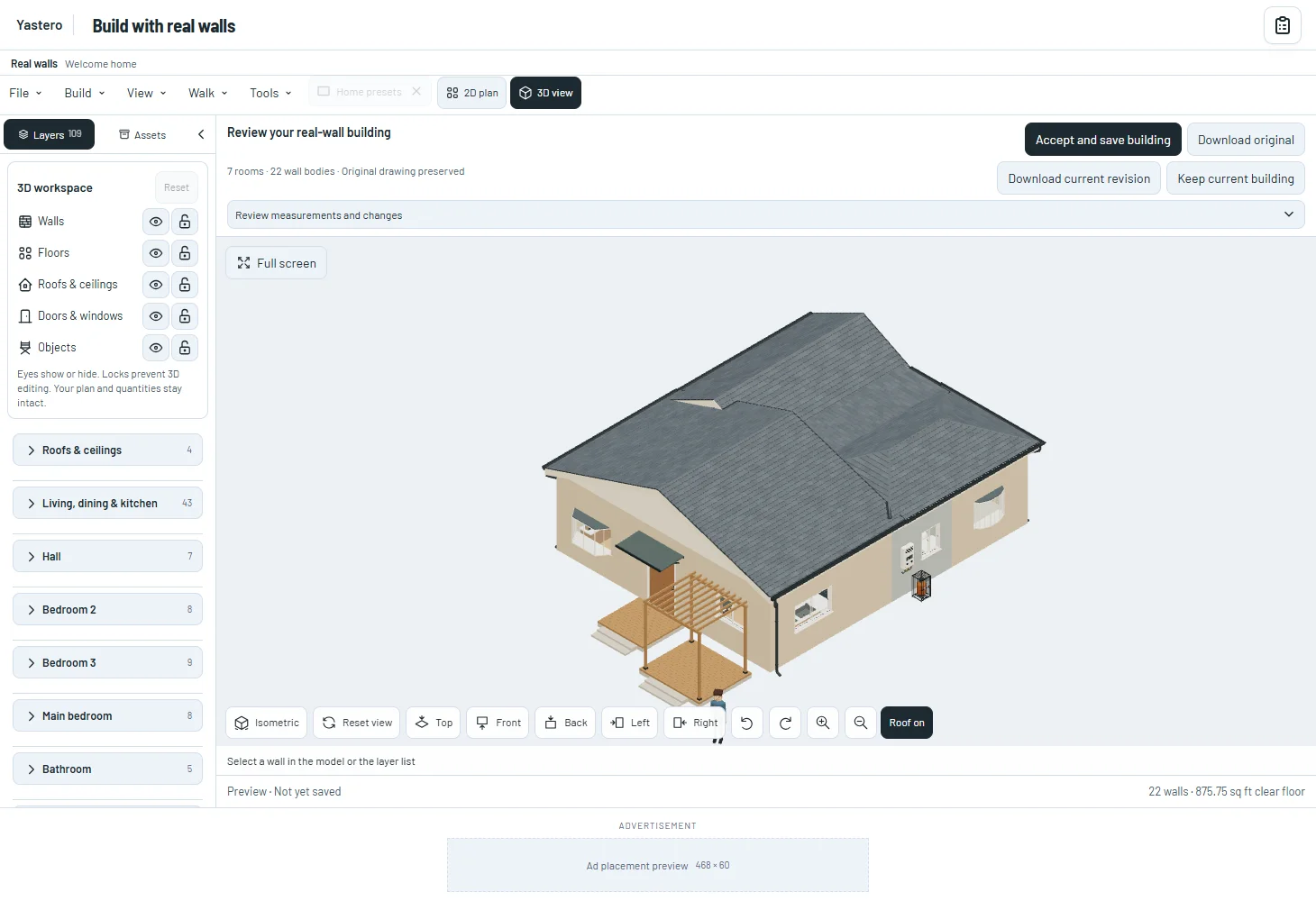
The classic editor can Undo a loaded example. In the opt-in real-wall editor, Use opens a review that you can cancel before saving. The library also works in full screen.
Work directly in the classic scene
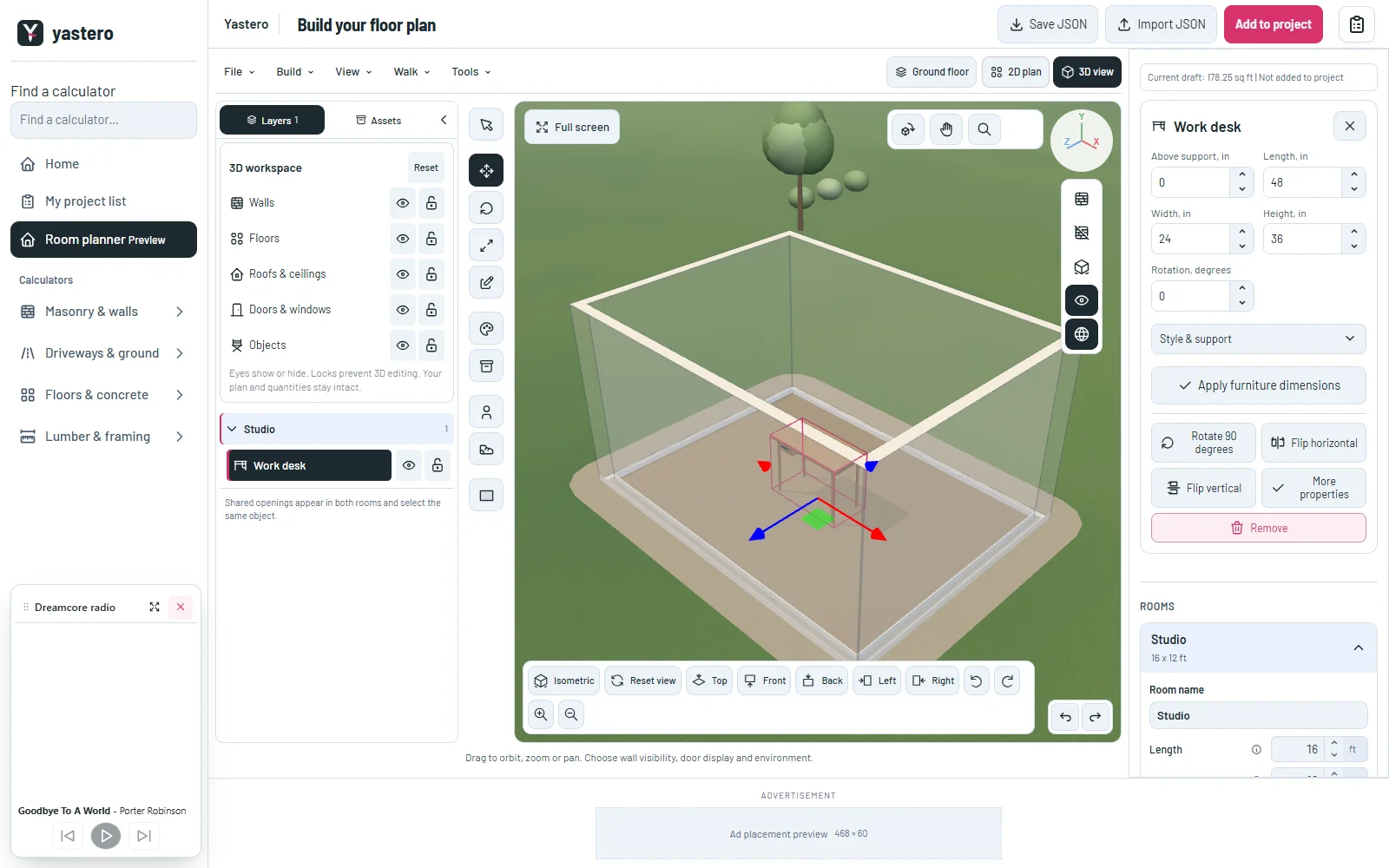
Select an element, then use Move, Rotate or Scale with the existing 3D handles. Locked or unsupported selections stay protected. Open the pencil to choose an object; transform actions keep that picker closed.
Alt+V selects; Alt+G moves; Alt+R rotates; Alt+S scales; Alt+E opens object editing; Alt+M opens materials; Alt+A opens assets. Tooltips document these shortcuts. They do not intercept text fields or dialogs.
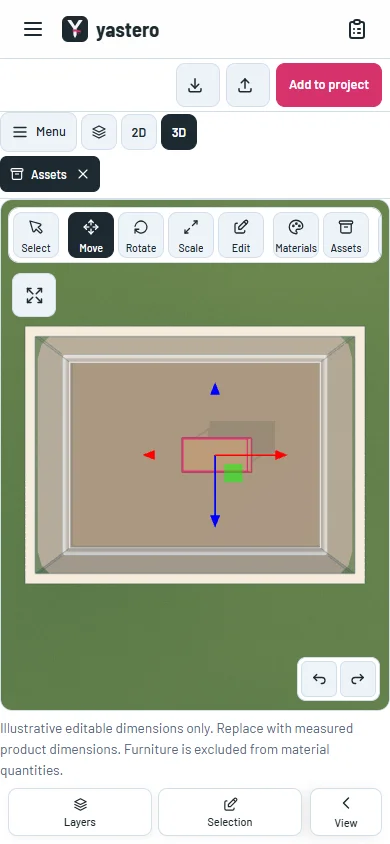
Materials, Assets, Sims, Walk inside and Home library use their existing editors. Phone controls scroll within their own rail, with more room for the model and no illustrated tooltip appearing on touch.
The quick transform rail is available in the classic editor. Its native real-wall gizmo port is still pending.
A clear camera state
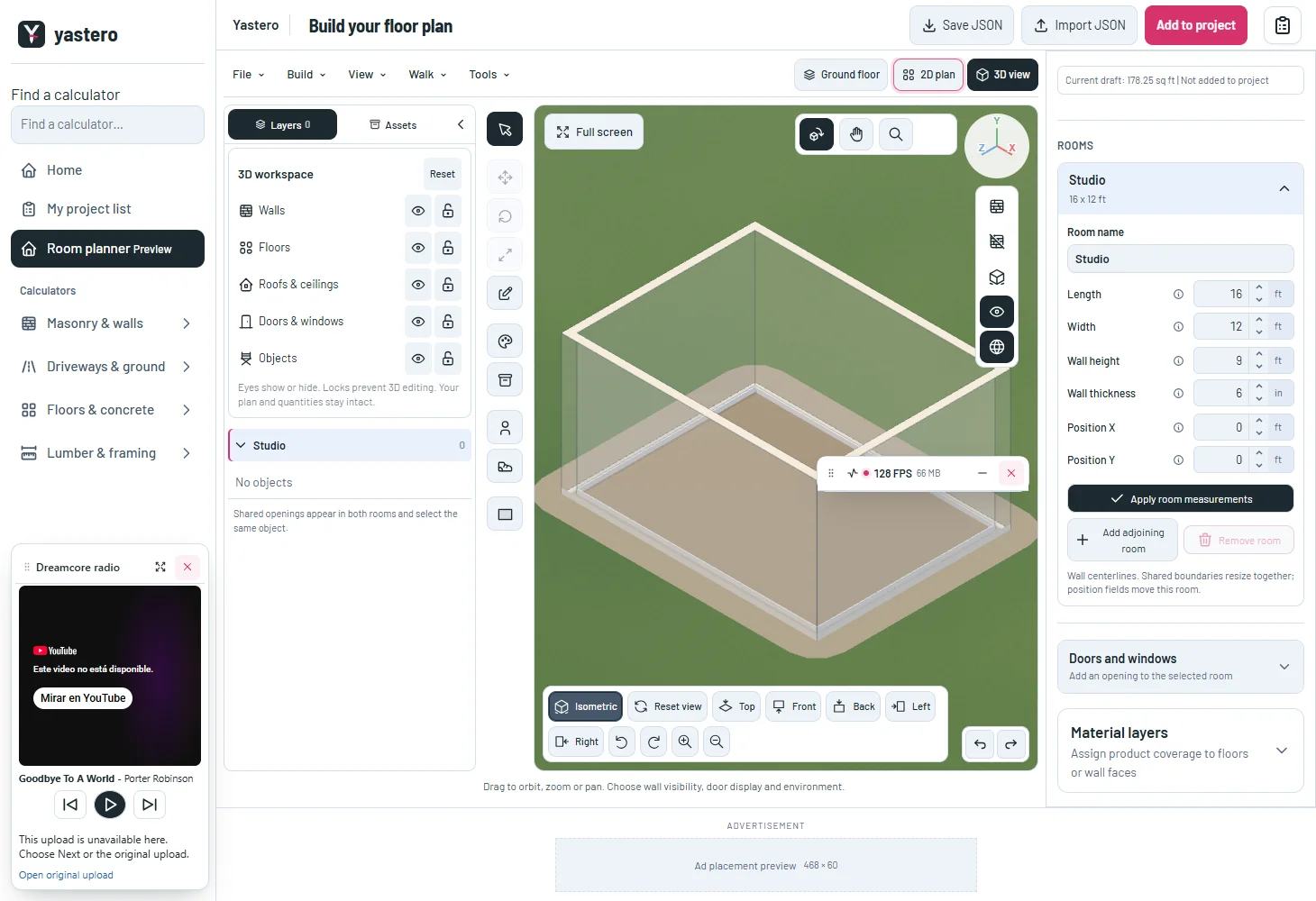
The active Isometric button follows the actual orthographic camera direction. It stays active while zooming or panning at that angle.
Manual orbit, rotate controls and perspective reset clear it. Transparent space around the camera toolbar now lets pointer gestures reach the scene.
A closer look

This milestone was documented on October 26, 2026 and added to the public history on October 26, 2026 at 5:49 AM GMT-3. Screenshots show the development state at the time. About this alpha history.