Preview curved walls and walk inside the real-wall model
Bend a wall with a review before accepting, keep its analytic curve in millimeters, and explore the physical wall body with keyboard or on-screen movement controls.
Explore the real-wall preview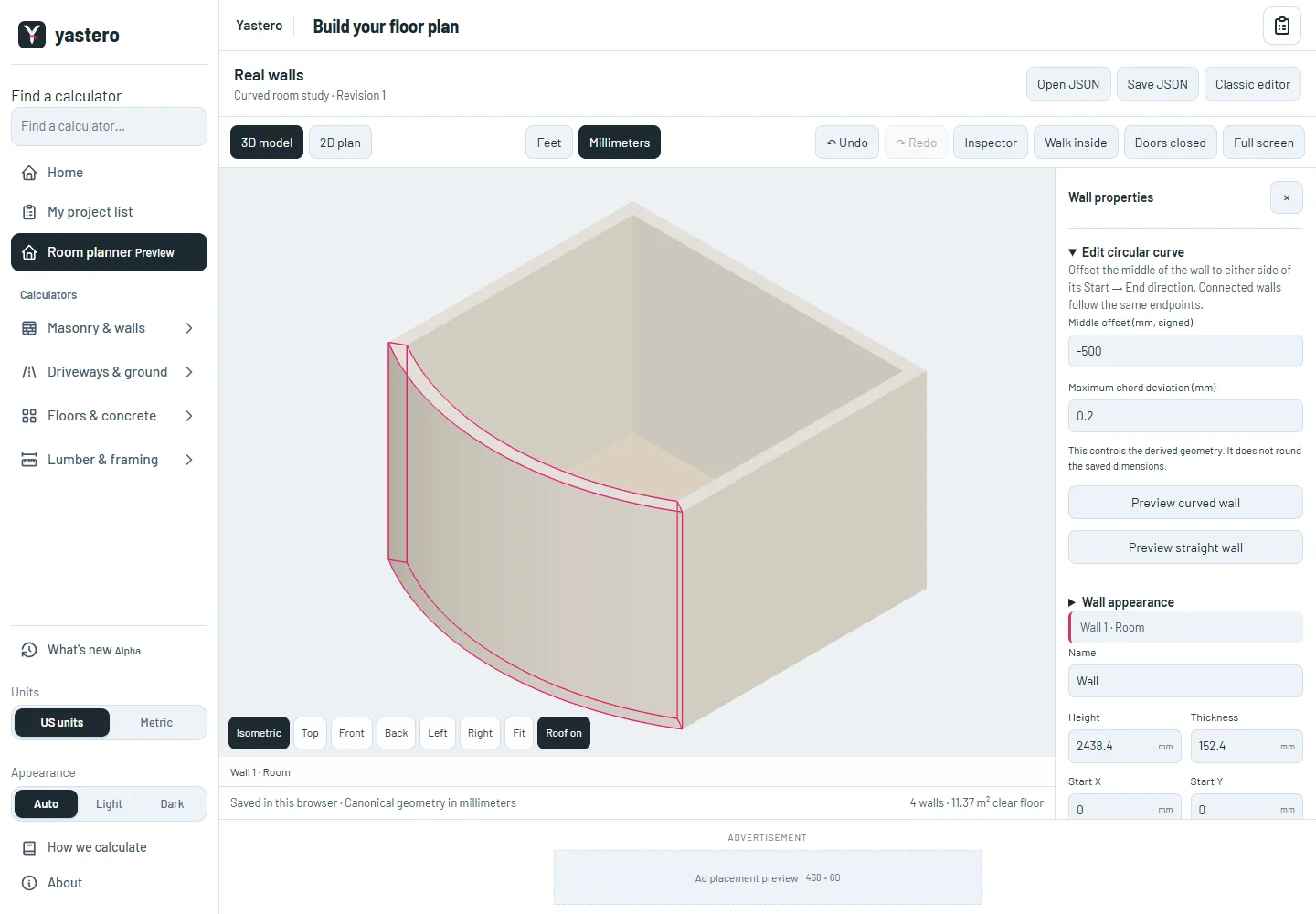
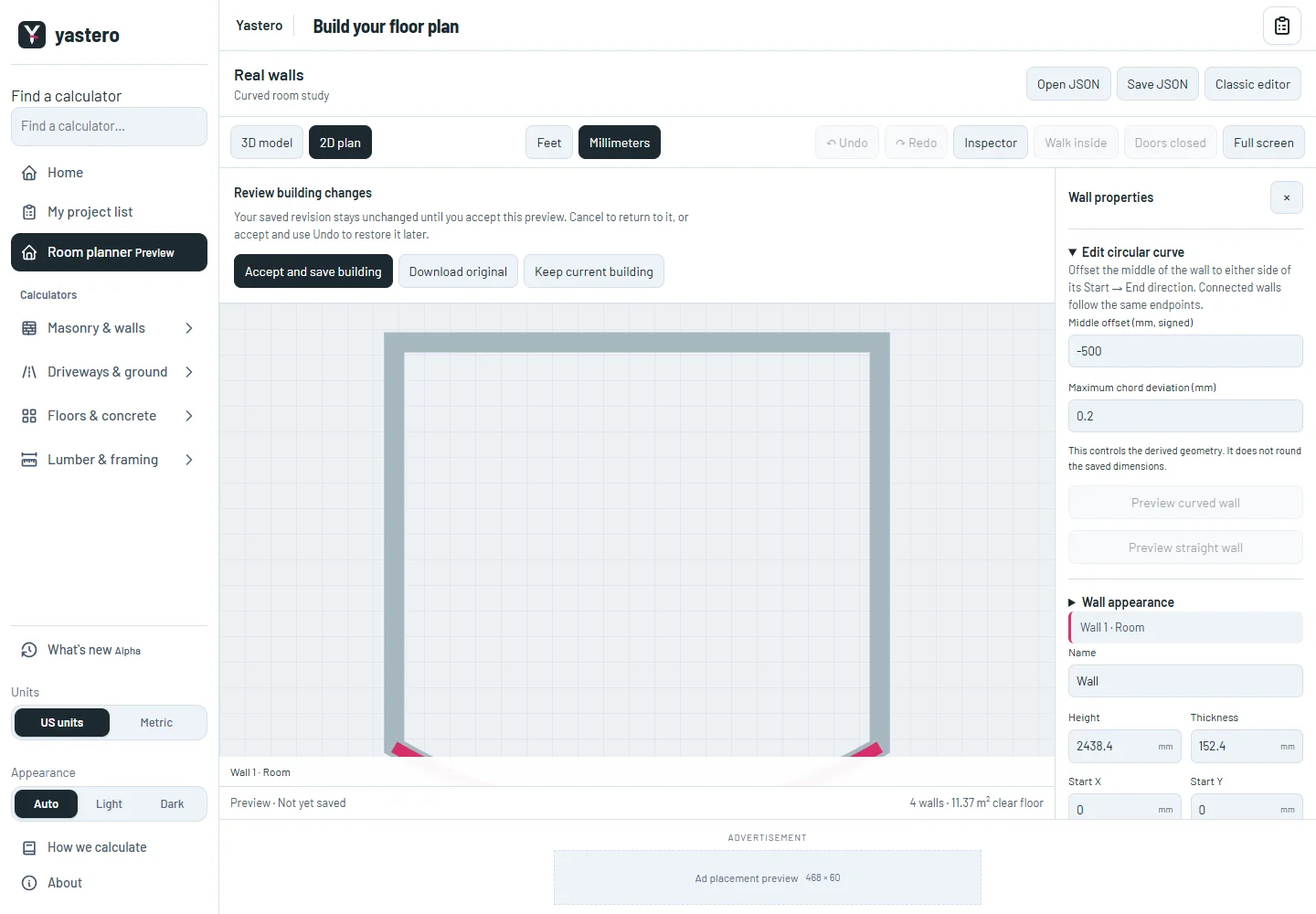
Curves with a review step
Select a wall and open Curve this wall. Enter a signed middle offset, preview the result, then accept it or keep the confirmed building. You can also preview returning to a straight wall.
Moving shared endpoints preserves wall identity. Dividing and merging compatible circular walls records their lineage and rehosts openings and finish zones. Invalid changes leave the confirmed building unchanged.
The circular axis stays analytic. Chords are derived using the displayed deviation limit, with a conservative volume-error bound in the native result. Stored dimensions are never rounded to a grid.
The same model for looking and walking
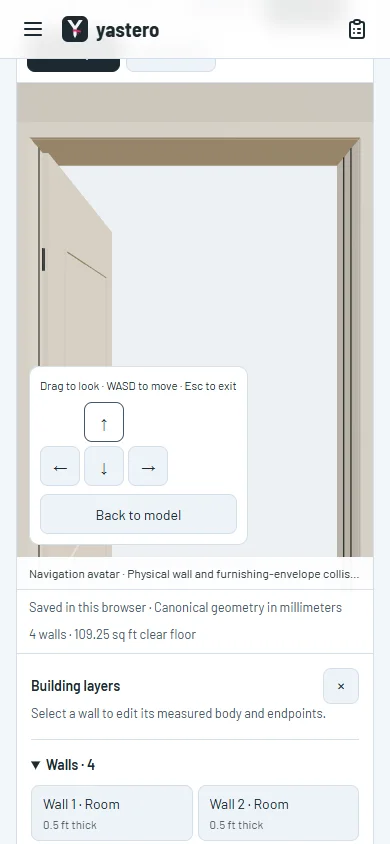
Walk inside uses the resolved millimeter wall body, including actual through-openings and niche backs. Continuous collision tests prevent a large movement from tunneling through a thin wall.
Closed doors block the navigation avatar; opening doors updates the displayed leaf and its navigation pose together. Windows and furnishing envelopes also block movement. These envelopes are navigation aids, not installation or code clearances.
Use WASD or arrow keys, drag to look, and use Escape or Back to model to leave. The on-screen movement pad stays available on narrow screens. Walking currently stays on one floor; native stair circulation is not claimed.
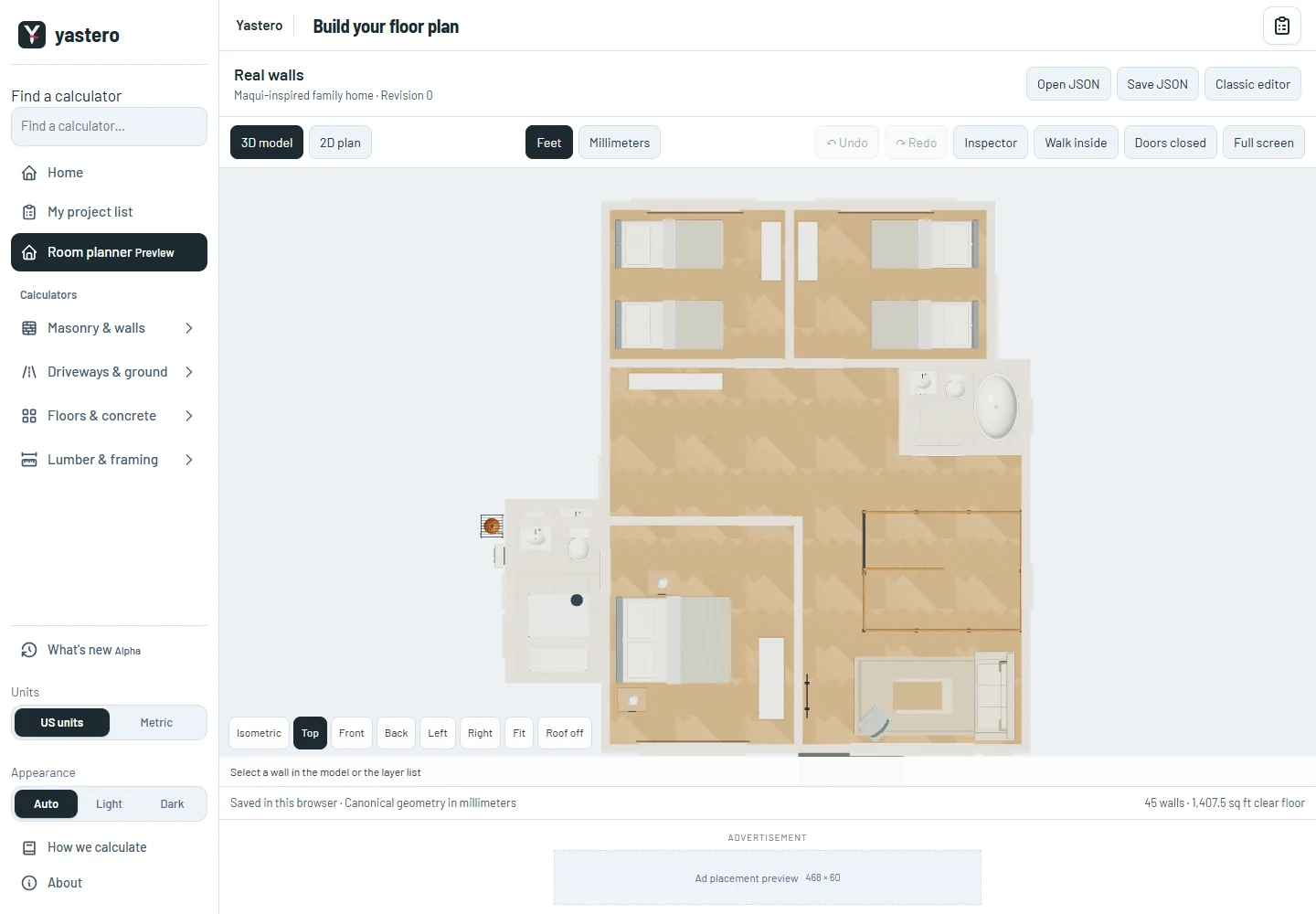
Floor finishes are partitioned by their actual world-coordinate zones, preserving the measured clear floor. The native workspace remains an opt-in preview while the remaining activation tools are completed.
A closer look
This milestone was documented on October 25, 2026 and added to the public history on October 25, 2026 at 6:30 AM GMT-3. Screenshots show the development state at the time. About this alpha history.