A workspace that fits your phone
Side tabs, a mobile menu and compact editing panels leave more of the house visible while you work.
Try the mobile workspace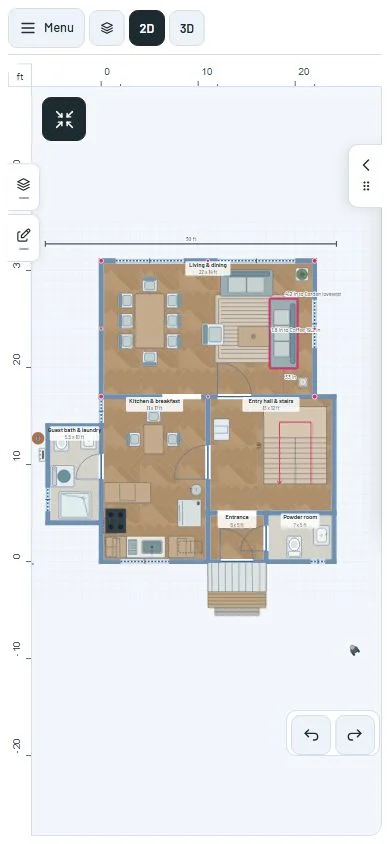
Controls when you need them
The mobile menu brings File, Build, View and other actions into a side panel. Layers open as room accordions, so you can inspect one room without a long row of expanded groups.
Object editing uses a compact panel. Full-screen controls use opposing enter and exit icons, with accessible names even when the text is hidden. Active modes have a visible way to exit.
Move the camera naturally
In the default 3D navigation mode, drag with one finger to orbit, use two fingers to pan and pinch to zoom. The Pan tool offers direct camera-relative dragging.
The hand tool moves along the current camera view. Rotating the house changes the direction of the next pan to match what you see.
Keep editing after a draft conflict
When another tab changes the shared draft, you can continue in a separate saved copy rather than overwrite the other tab. The planner saves that copy before unlocking editing.
The recovery message explains how to export the copy. Your existing draft is not silently discarded.
A closer look
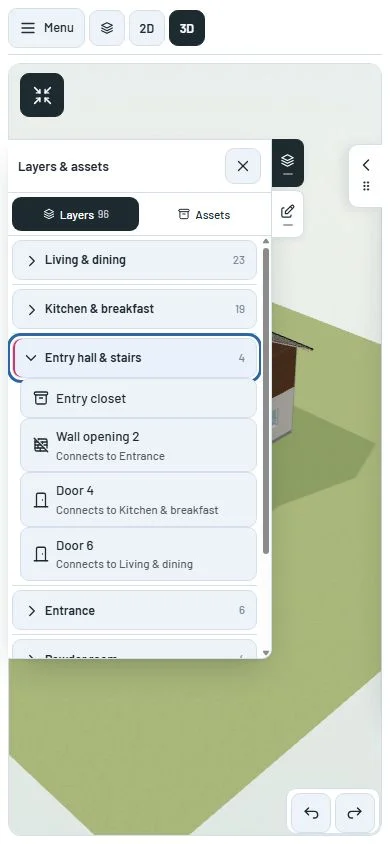
This milestone was documented on October 22, 2026 and added to the public history on October 22, 2026. Its version was assigned retrospectively. Screenshots show the development state at the time. About this alpha history.