See which roof piece you are changing, and undo any draft edit
Numbered roofs and parts, visible delete buttons and a live shape preview make roof editing easier to follow. Changes stay in one draft until you apply them.
Try visual roof editing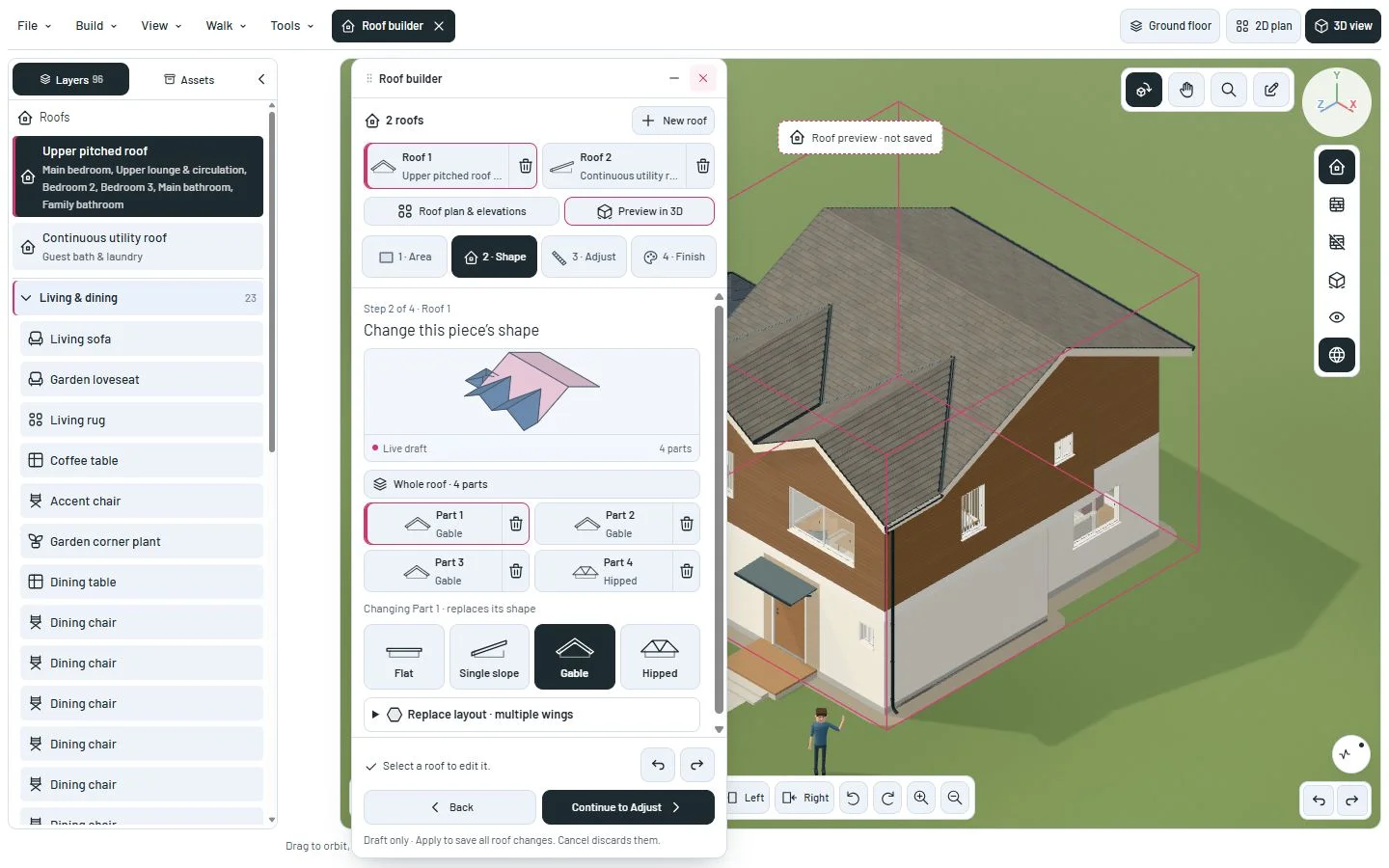
A visible target and a way back
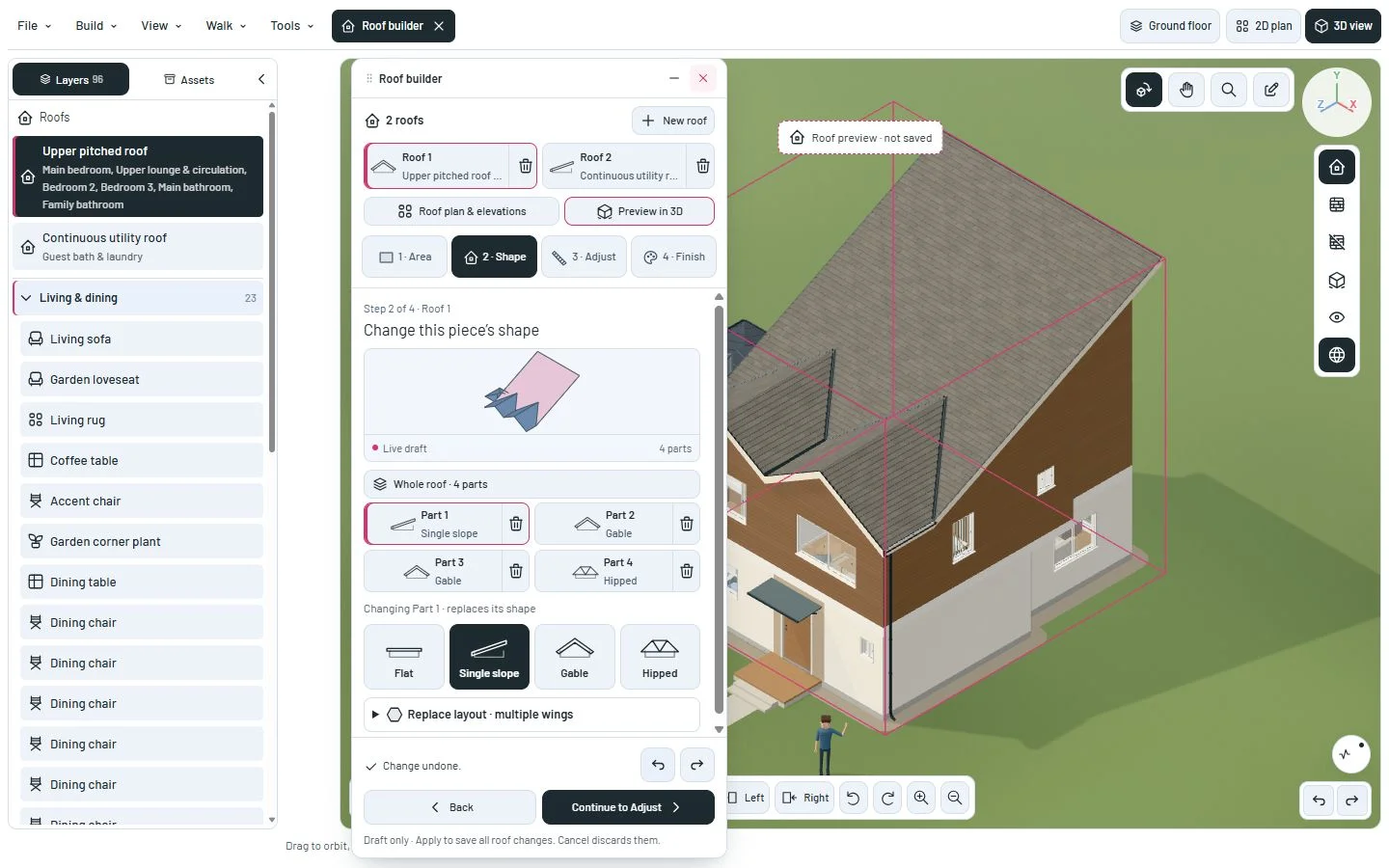
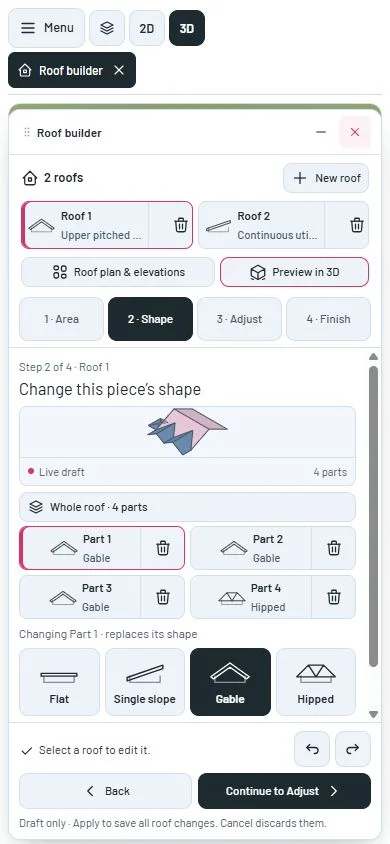
Open Roof builder. Each roof has a numbered card, its existing name and a delete button. Select a roof to work on it; switching roofs keeps pending edits.
The Shape step shows a small geometric preview and numbered parts. Pink marks the selected part. Flat, Single slope, Gable and Hipped replace that part’s shape. Whole roof explicitly applies a shape to all its parts. New roof is a separate action that adds a roof and opens its room coverage.
The miniature and 3D scene update as you edit. Delete buttons remove a part or roof from the draft. Undo restores it, including the last roof. Split and Extend select the new part so you can see what was added.
Use the Undo and Redo buttons, Ctrl/Cmd+Z, Ctrl/Cmd+Shift+Z or Ctrl+Y. Text fields keep their own editing shortcuts. Roof plan and elevations use the same pending workspace.
Apply roof changes saves all pending roof edits as one project change. Cancel or close discards them. Existing roofs are never automatically removed because their names match.
A closer look
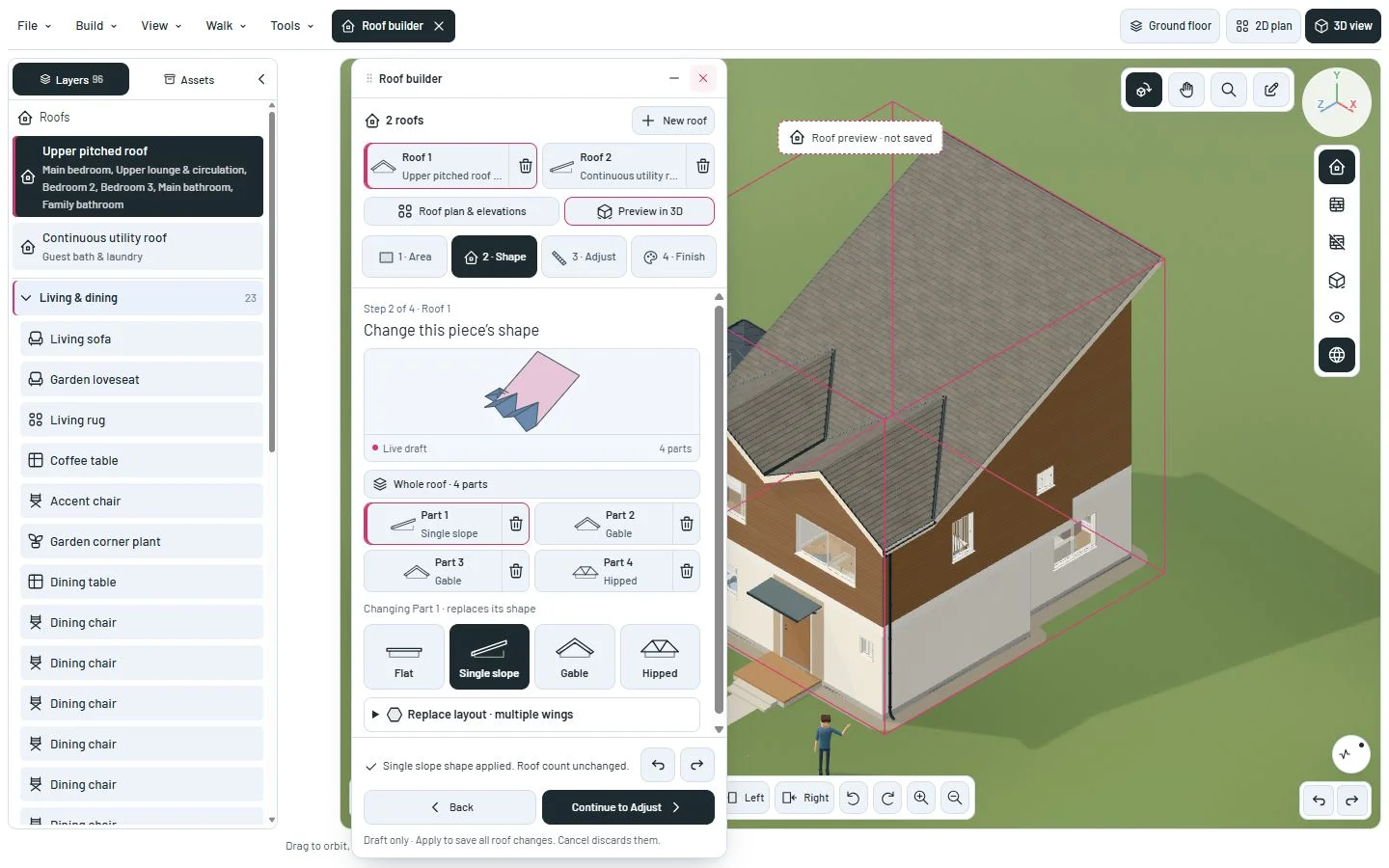
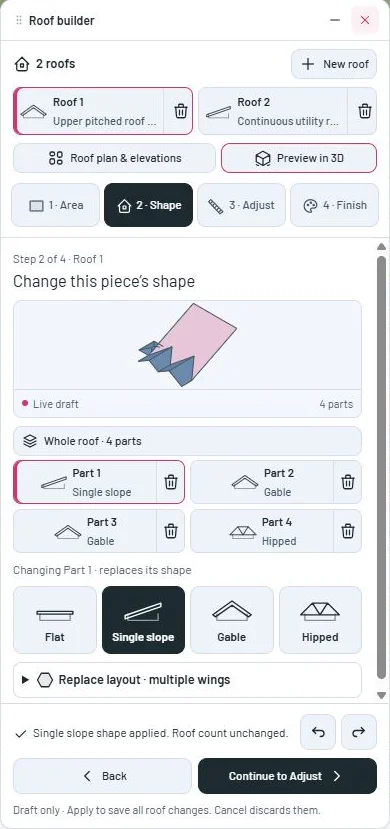
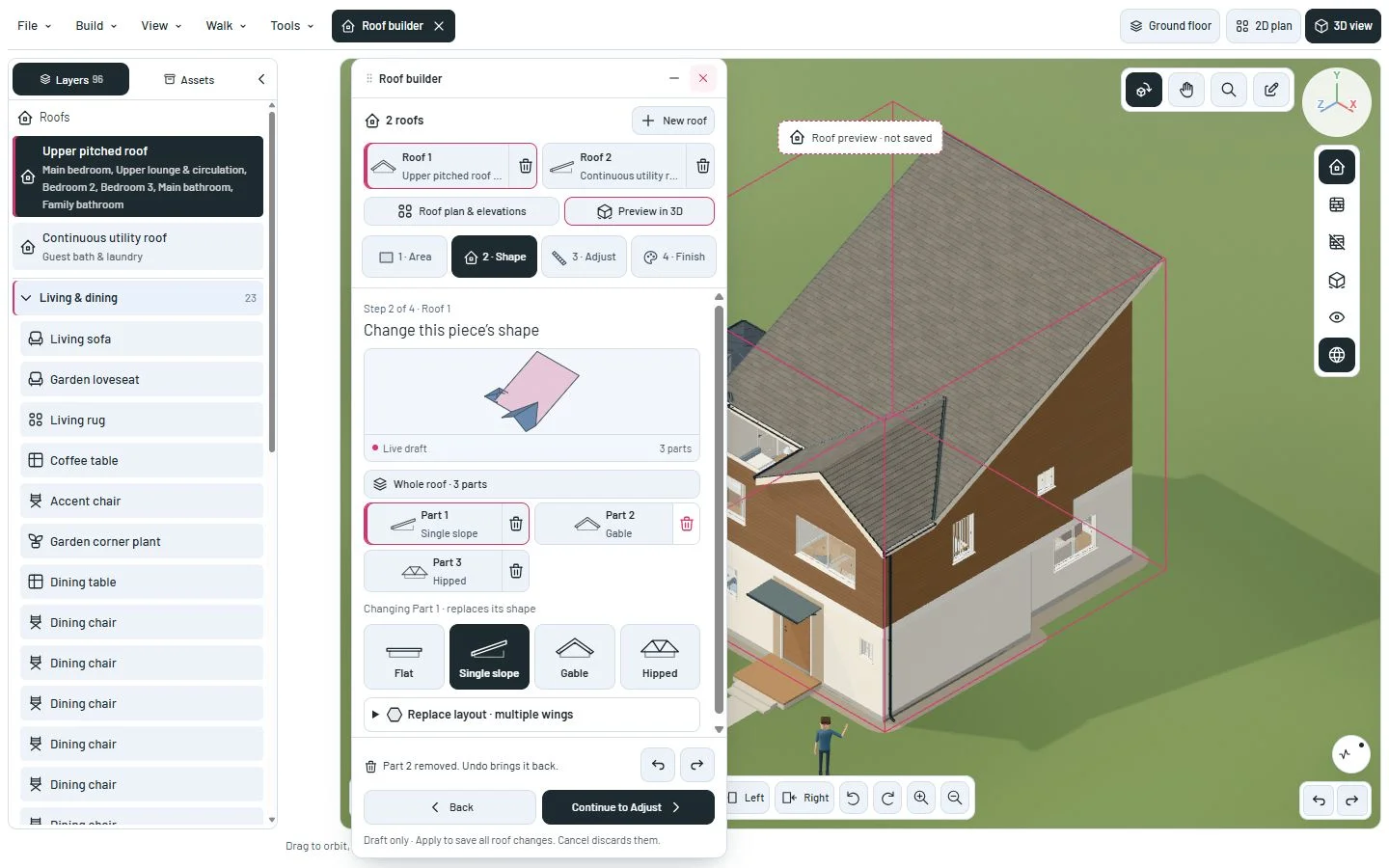
This milestone was documented on October 24, 2026 and added to the public history on October 24, 2026 at 9:28 AM GMT-3. Screenshots show the development state at the time. About this alpha history.