Material lists with clear quantities and visual categories
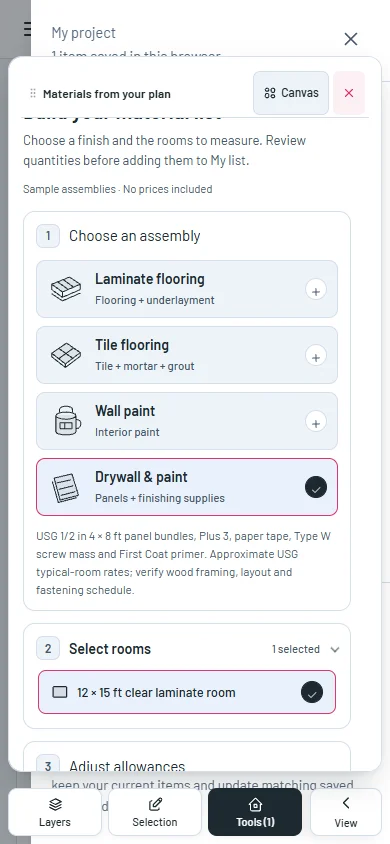
Choose an assembly in three clear steps, then read each product, package and purchase quantity in its own illustrated card.
Build a material list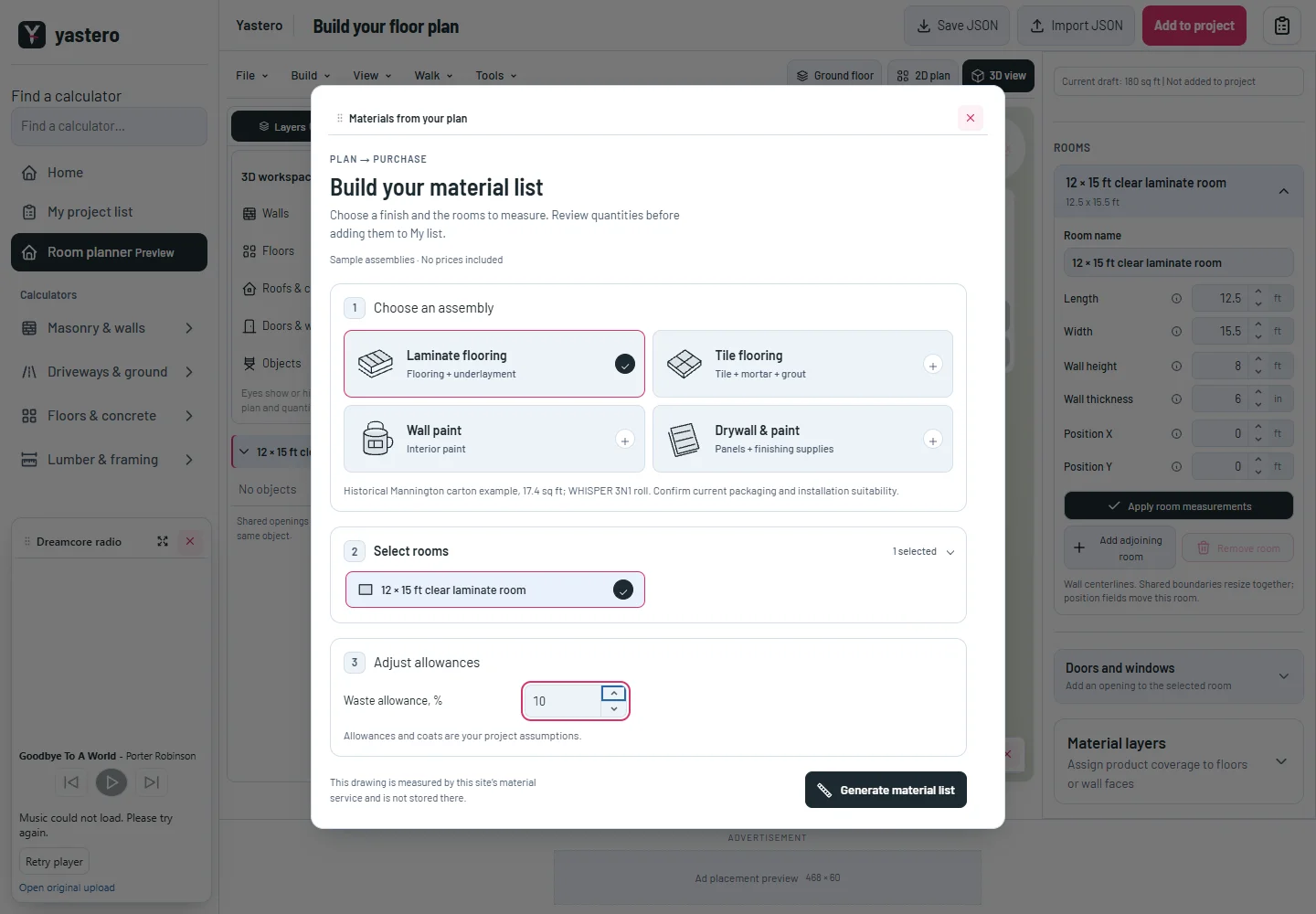
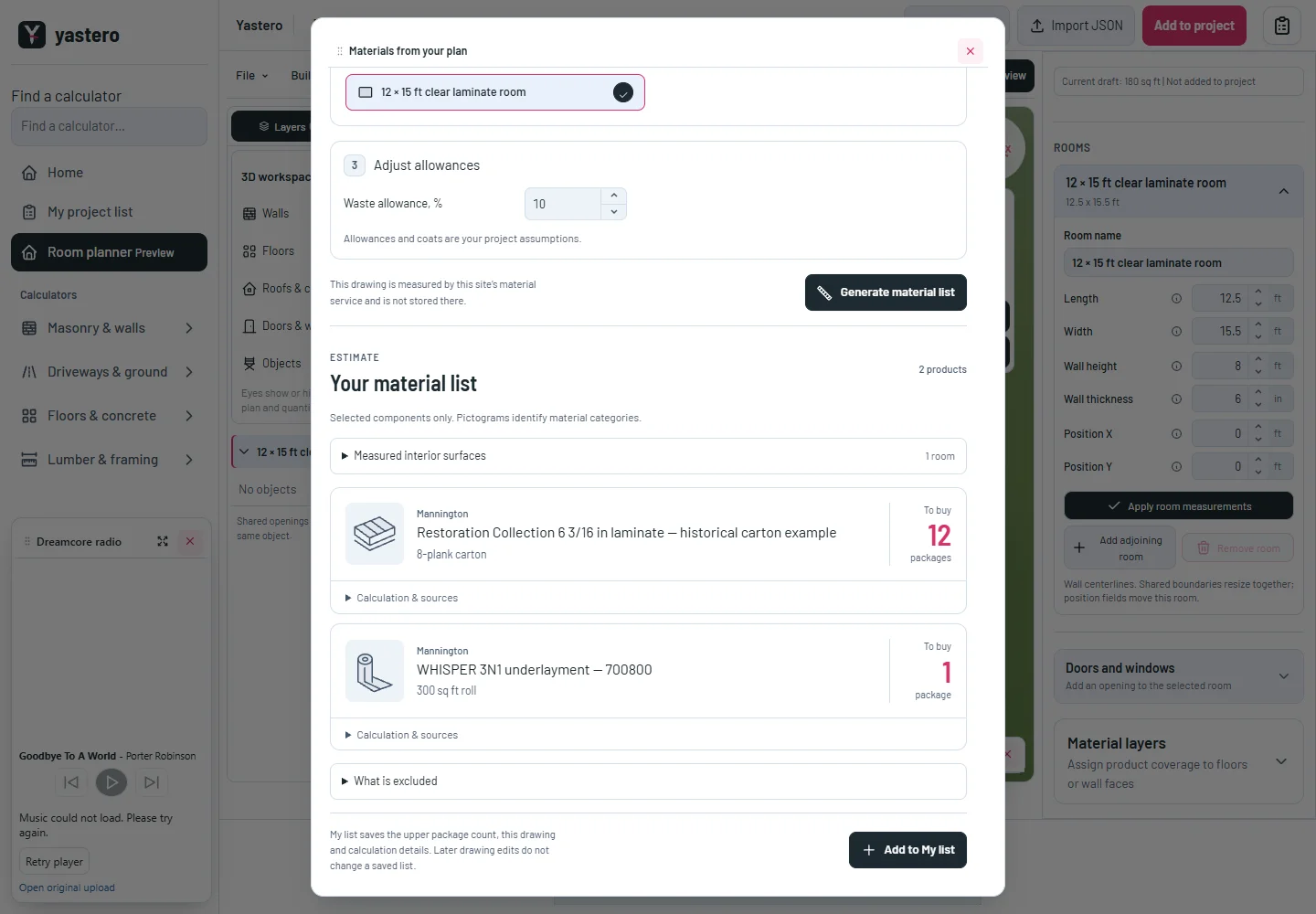
From drawing to packages
Assembly cards show what is included and mark your selection. Compact allowance fields leave room for their labels.
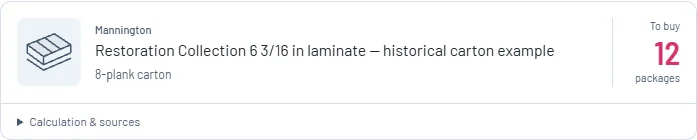
The generated list separates the manufacturer, product name, package size and purchase quantity. Category pictograms are generic illustrations, not product photographs.
Calculations, coverage ranges, excess estimates, measured surfaces and sources remain available in expandable details. Saving still keeps the upper package count and a drawing snapshot.
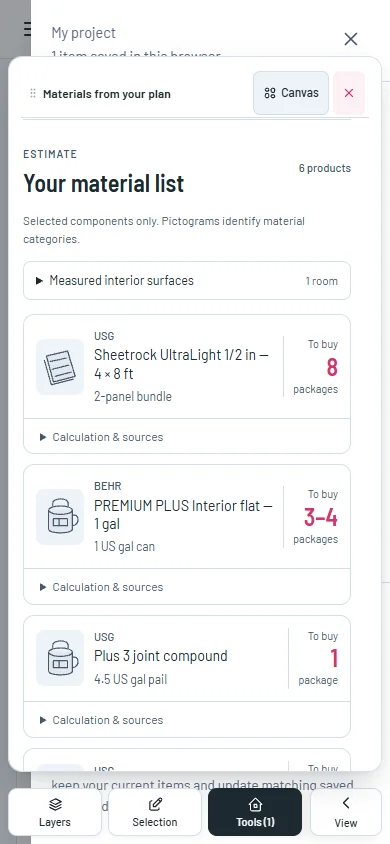
Readable on a phone
Product cards fit narrow screens. The form and generated list remain available when you return from Canvas through Tools.
Loading and unavailable states explain what happened and provide a retry action. Material requests also use the site’s canonical trailing-slash routes.
These are selected-component estimates using sourced sample products. Prices, complete building specifications and installation suitability are not supplied by a pictogram.
A closer look
This milestone was documented on October 24, 2026 and added to the public history on October 24, 2026 at 10:22 PM GMT-3. Screenshots show the development state at the time. About this alpha history.