Choose one or two downspouts for each gutter strip
Select a gutter on the roof plan, choose zero, one or two downspouts, and see the actual result in 3D. For a single outlet, choose end A or B.
Set your roof drainage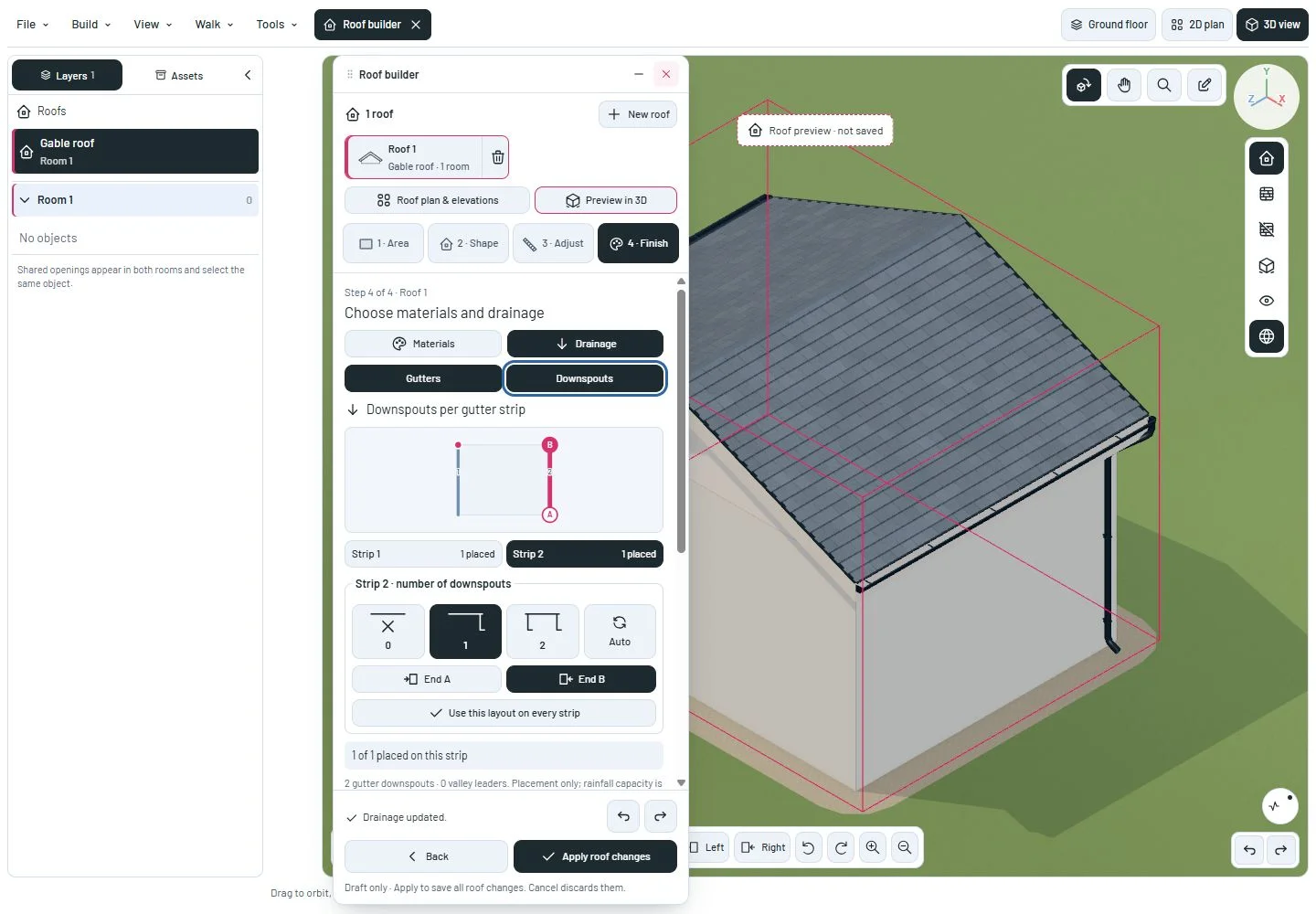
Choose a strip, a count and an end
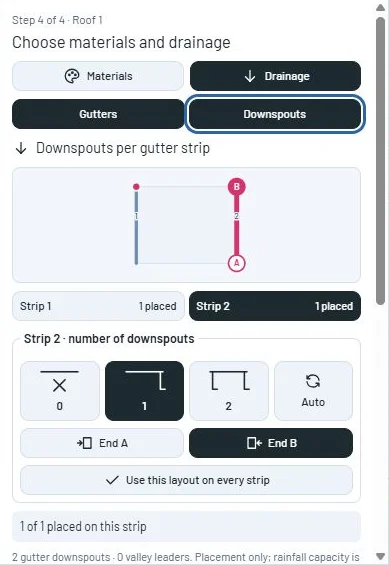
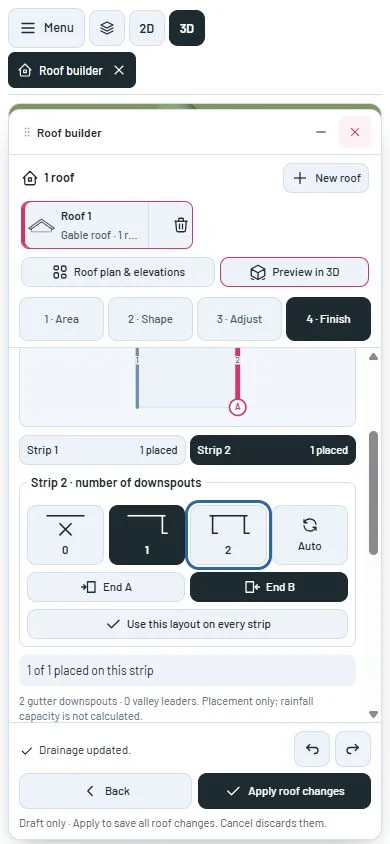
Open Roof builder, choose Finish, then Drainage. Select a numbered strip on the small plan or in its list. The highlighted line is the gutter you are editing; filled markers show placed outlets.
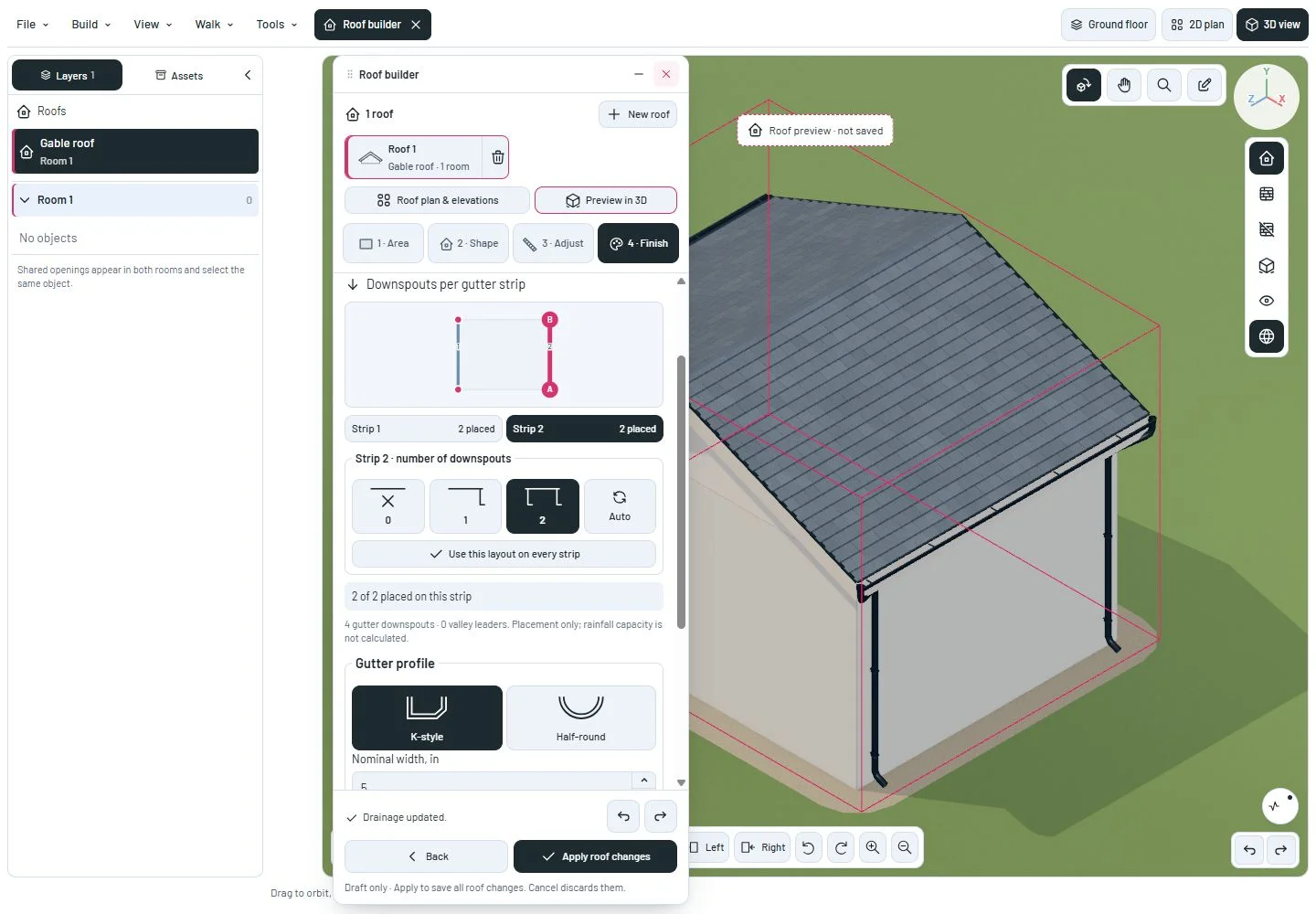
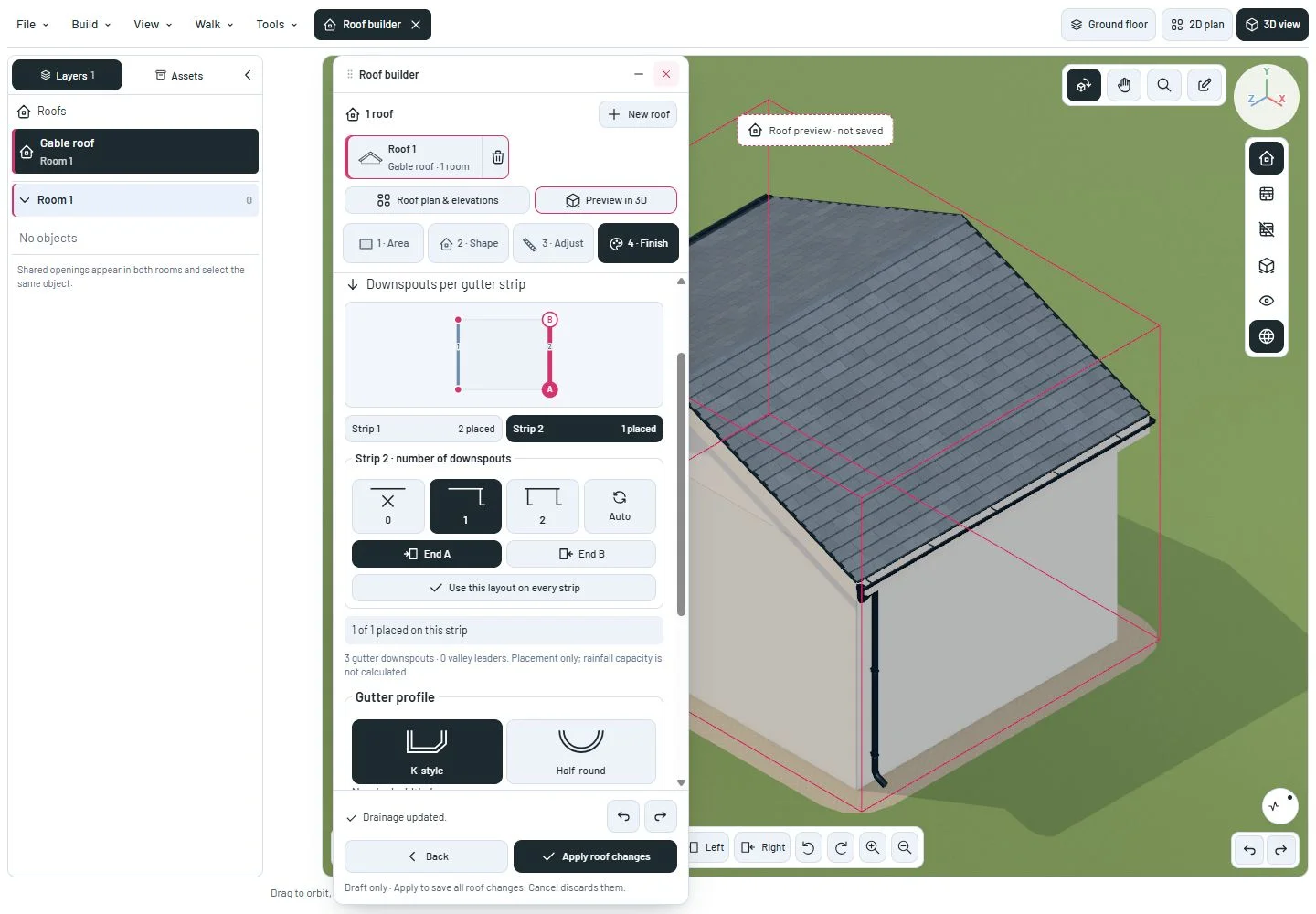
Choose 0 to remove its outlets, 1 for a single outlet, or 2 for both ends. With 1 selected, use End A or End B to choose the location. Auto restores illustrative corner placement for that strip.
Use this layout on every strip applies the selected count and end choice to the roof. Otherwise each strip keeps its own setting. Undo and Redo work before Apply roof changes; closing discards the pending edits. Saved choices survive reloading the project.
Contiguous collinear gutter segments now count as one strip even when the roof has section cuts. The editor and 3D pipes share the same placement result.
A route must have wall support and clear nearby openings. If the chosen end cannot accept an outlet, the editor reports the actual placed count instead of silently moving it to the other end. Valley leaders are counted separately. These controls arrange the modeled pipes; they do not calculate rainfall capacity.
A closer look
This milestone was documented on October 24, 2026 and added to the public history on October 24, 2026 at 10:40 AM GMT-3. Screenshots show the development state at the time. About this alpha history.